
Interactive decision tree visualization
SuperTree
SuperTree displays interactive decision trees directly in Python notebooks. You can zoom, pan, collapse nodes, inspect statistics, and follow the decision path for a sample without turning the tree into an unreadable static plot.
Install SuperTree
Install the package in the Python environment used by your notebook:
pip install supertreepip install supertreeVisualize a decision tree
Train a supported model, create a SuperTree instance, and call show_tree():
1from sklearn.tree import DecisionTreeClassifier
2from sklearn.datasets import load_iris
3from supertree import SuperTree
4
5# Load the iris dataset
6iris = load_iris()
7
8# Train model
9model = DecisionTreeClassifier(max_depth=3)
10model.fit(iris.data, iris.target)
11
12# Initialize supertree
13super_tree = SuperTree(model, iris.data, iris.target, iris.feature_names, iris.target_names)
14
15# show tree in your notebook
16super_tree.show_tree()1from sklearn.tree import DecisionTreeClassifier
2from sklearn.datasets import load_iris
3from supertree import SuperTree
4
5# Load the iris dataset
6iris = load_iris()
7
8# Train model
9model = DecisionTreeClassifier(max_depth=3)
10model.fit(iris.data, iris.target)
11
12# Initialize supertree
13super_tree = SuperTree(model, iris.data, iris.target, iris.feature_names, iris.target_names)
14
15# show tree in your notebook
16super_tree.show_tree()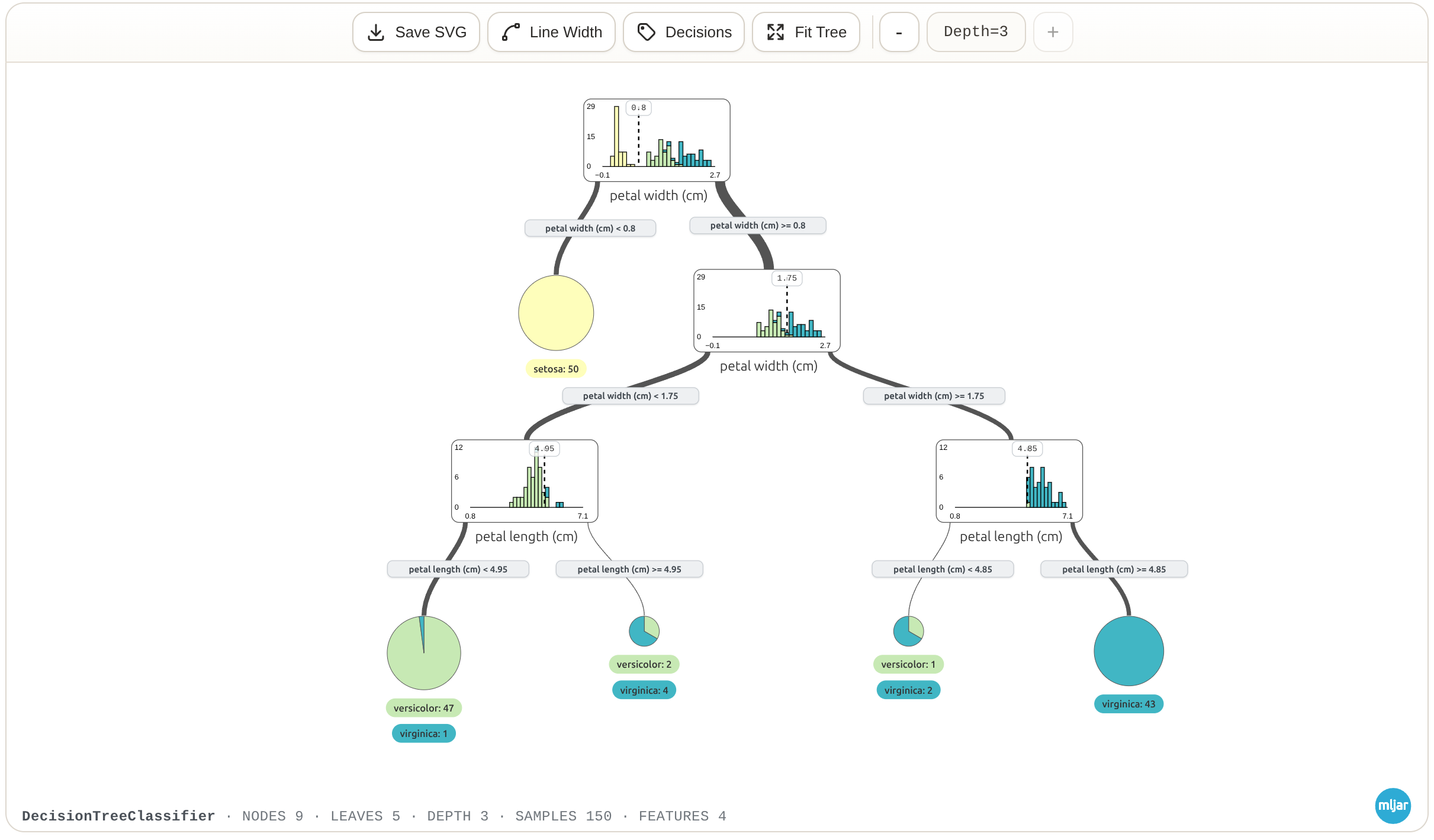
Inspect a tree from an ensemble
SuperTree also works with tree ensembles. For a random forest, pass the index of the tree you want to inspect to show_tree():
1from sklearn.ensemble import RandomForestRegressor
2from sklearn.datasets import load_diabetes
3from supertree import SuperTree  # <- import supertree :)
4
5# Load the diabetes dataset
6diabetes = load_diabetes()
7X = diabetes.data
8y = diabetes.target
9
10# Train model
11model = RandomForestRegressor(n_estimators=100, max_depth=3, random_state=42)
12model.fit(X, y)
13
14# Initialize supertree
15super_tree = SuperTree(model, X, y)
16
17# show tree with index 2 in your notebook
18super_tree.show_tree(2)1from sklearn.ensemble import RandomForestRegressor
2from sklearn.datasets import load_diabetes
3from supertree import SuperTree # <- import supertree :)
4
5# Load the diabetes dataset
6diabetes = load_diabetes()
7X = diabetes.data
8y = diabetes.target
9
10# Train model
11model = RandomForestRegressor(n_estimators=100, max_depth=3, random_state=42)
12model.fit(X, y)
13
14# Initialize supertree
15super_tree = SuperTree(model, X, y)
16
17# show tree with index 2 in your notebook
18super_tree.show_tree(2)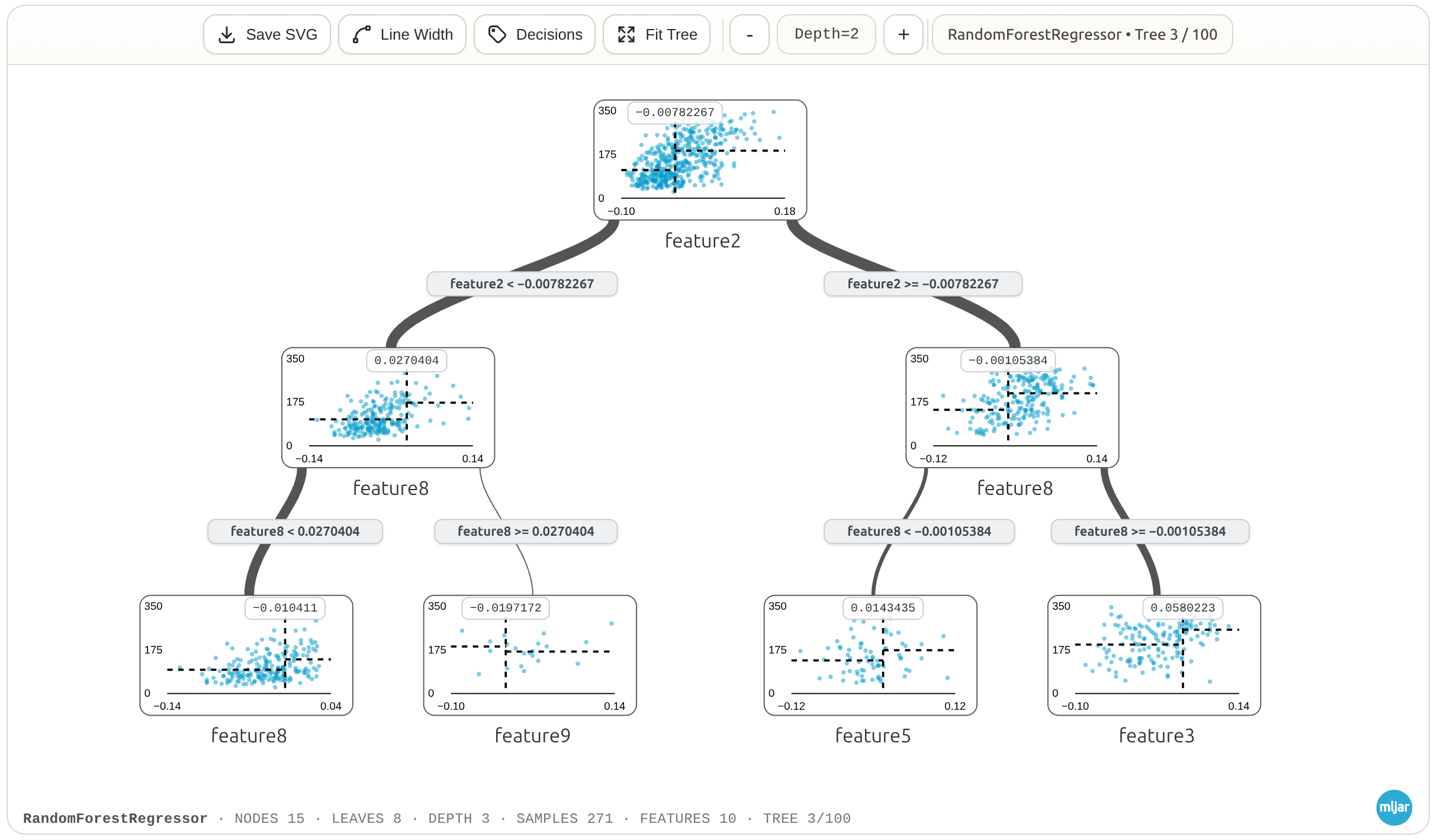
Supported environments
SuperTree works in environments that render notebook HTML, including Jupyter Notebook, JupyterLab, Google Colab, MLJAR Studio, and VS Code notebooks.
Supported model libraries
You can use SuperTree with supported classifiers and regressors from scikit-learn, XGBoost, LightGBM, and ONNX. It supports individual decision trees and tree ensembles such as random forests, extra trees, and gradient boosting models.
Troubleshooting
The visualization does not appear
Confirm that the notebook environment supports HTML output. Restart the kernel after installing or upgrading SuperTree, then run the training and visualization cells again.
The model is not supported
Check the current compatibility list in the project repository. If your tree model is missing, open an issue with the model library, class name, and a minimal example.
More examples and support
Visit the SuperTree repository for more examples, the latest compatibility information, source code, and issue tracking.