
SuperTree
Open Source Apache 2.0
Decision Tree Visualization for Python
SuperTree helps you explore complex decision trees without getting lost in static plots. You can zoom in, inspect nodes, and follow decision paths more easily.
- Inspect decision trees interactively instead of relying on hard-to-read static plots.
- Trace paths, inspect nodes, and explain model structure directly in notebook and editor workflows.
- Install with `pip install supertree` and use it with standard Python ML libraries.
Why SuperTree
A simpler way to work with decision trees
SuperTree helps you understand tree models more easily, especially when static plots become hard to read.
Zoom in and move around
Take a closer look at large trees without losing your place.
Follow decision paths
See how the tree moves from one split to the next.
Works with trees and ensembles
Use it for single trees or look inside bigger models like random forests.
Fits your Python workflow
Use it in Jupyter, Google Colab, MLJAR Studio, or VS Code.
Decision Tree Visualization
Visualize decision trees clearly in Python notebooks and editors
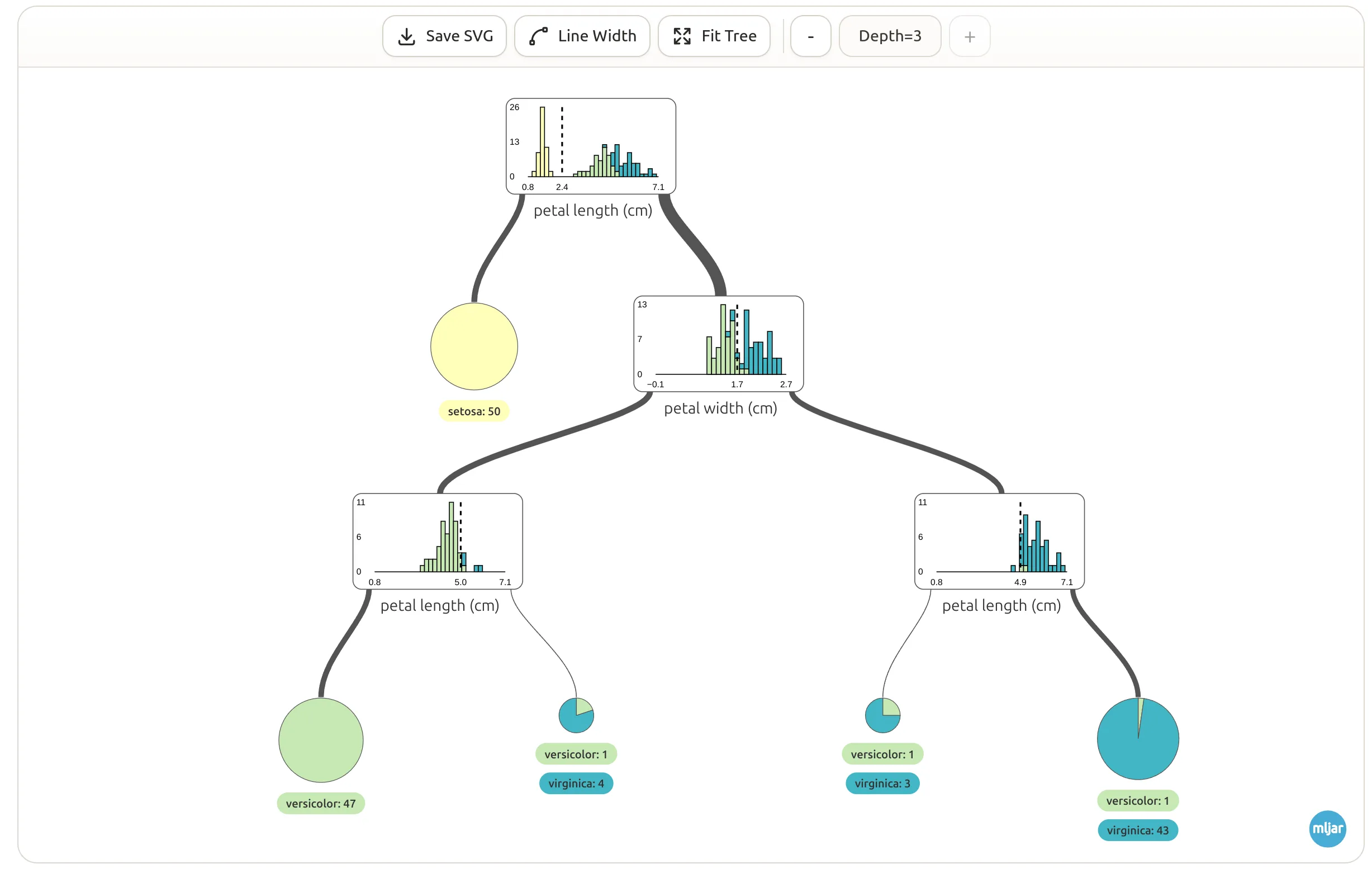
SuperTree makes decision trees easier to read.
Instead of working with a static image, you can inspect nodes, understand splits, and follow the tree step by step.
Instead of working with a static image, you can inspect nodes, understand splits, and follow the tree step by step.
- Makes large trees easier to read
- Helps you explain model decisions more clearly
- Useful for both classification and regression trees
- Works well in notebooks and editors
Decision tree
Tree Ensemble Navigation
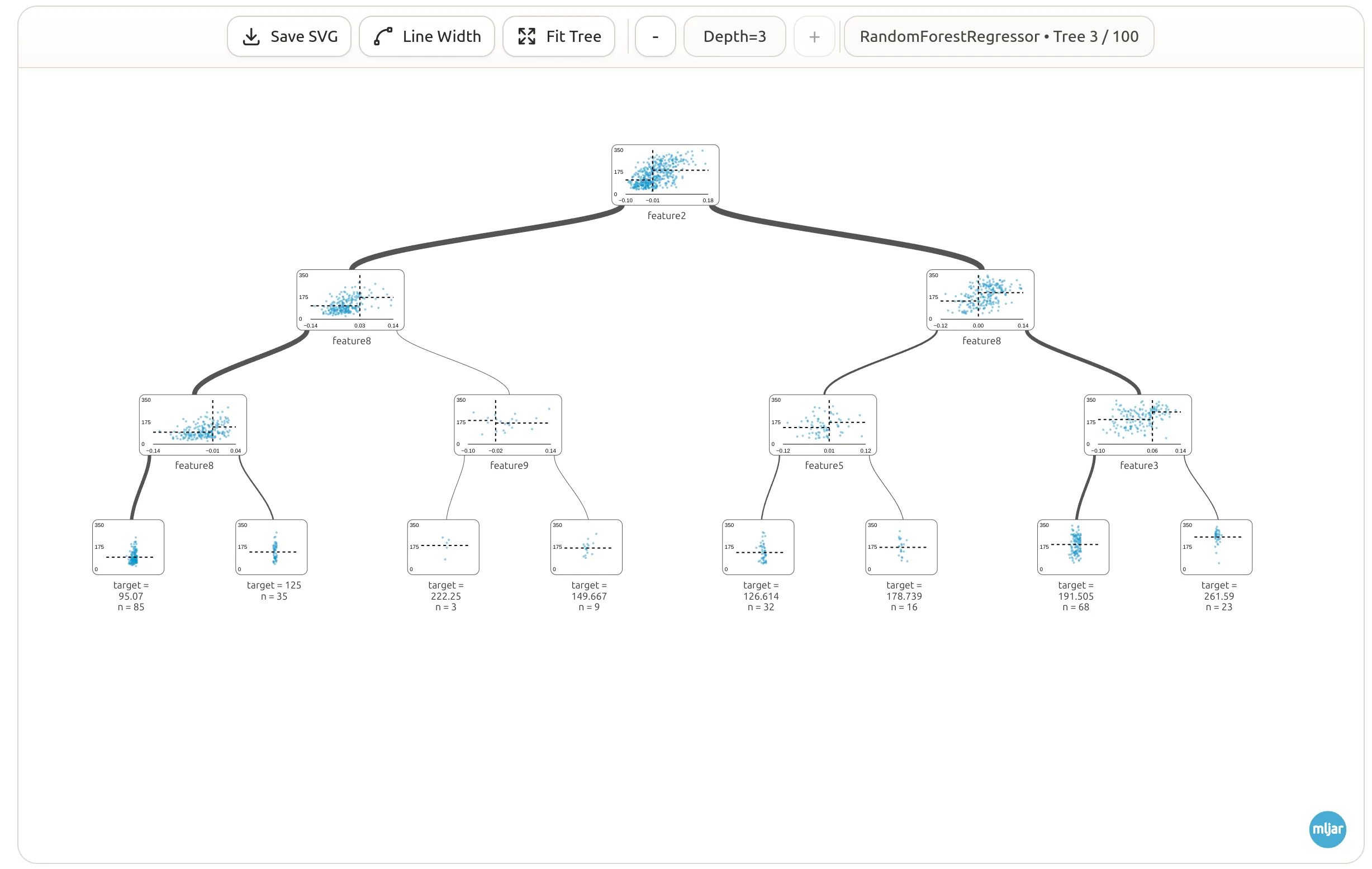
Navigate individual trees inside ensembles like random forests
This random forest view shows how SuperTree can help with tree ensembles.
If you want to inspect one tree inside a larger model, you can move through the ensemble and look at each tree more easily.
If you want to inspect one tree inside a larger model, you can move through the ensemble and look at each tree more easily.
- Move through trees one at a time
- Better for checking how ensemble models behave
- Useful for random forests and similar models
- Keeps each tree easier to inspect
Quick Start
Start visualizing a decision tree in a few lines of code
Getting started is simple. Install `supertree`, train a model, and show the tree in your notebook or editor.
Supported environments and libraries
- Jupyter Notebook
- JupyterLab
- Google Colab
- MLJAR Studio
- VS Code
- scikit-learn
- XGBoost
- LightGBM
- ONNX
Python example
Install in your terminal
pip install supertreefrom sklearn.datasets import load_iris
from sklearn.tree import DecisionTreeClassifier
from supertree import SuperTree
iris = load_iris()
X, y = iris.data, iris.target
model = DecisionTreeClassifier(max_depth=3, random_state=42)
model.fit(X, y)
tree = SuperTree(model, X, y, iris.feature_names, iris.target_names)
tree.show_tree()Open Source
Use SuperTree freely under Apache 2.0
SuperTree is fully open source under the Apache License 2.0. You can explore the code on GitHub or install it from PyPI.