
AI Data Analyst
AI Data Analyst is an AI-powered assistant in MLJAR Studio for practical, notebook-based data analysis. You can ask questions in natural language, run analysis on local files, and get real Python code that you can inspect and reuse.
The workflow is transparent: the assistant performs analysis in your notebook environment and keeps every step reproducible. This makes it easier to move from quick questions to production-grade analysis.
To use this mode, select Data Analyst from the top AI mode menu.
1. Load a local file
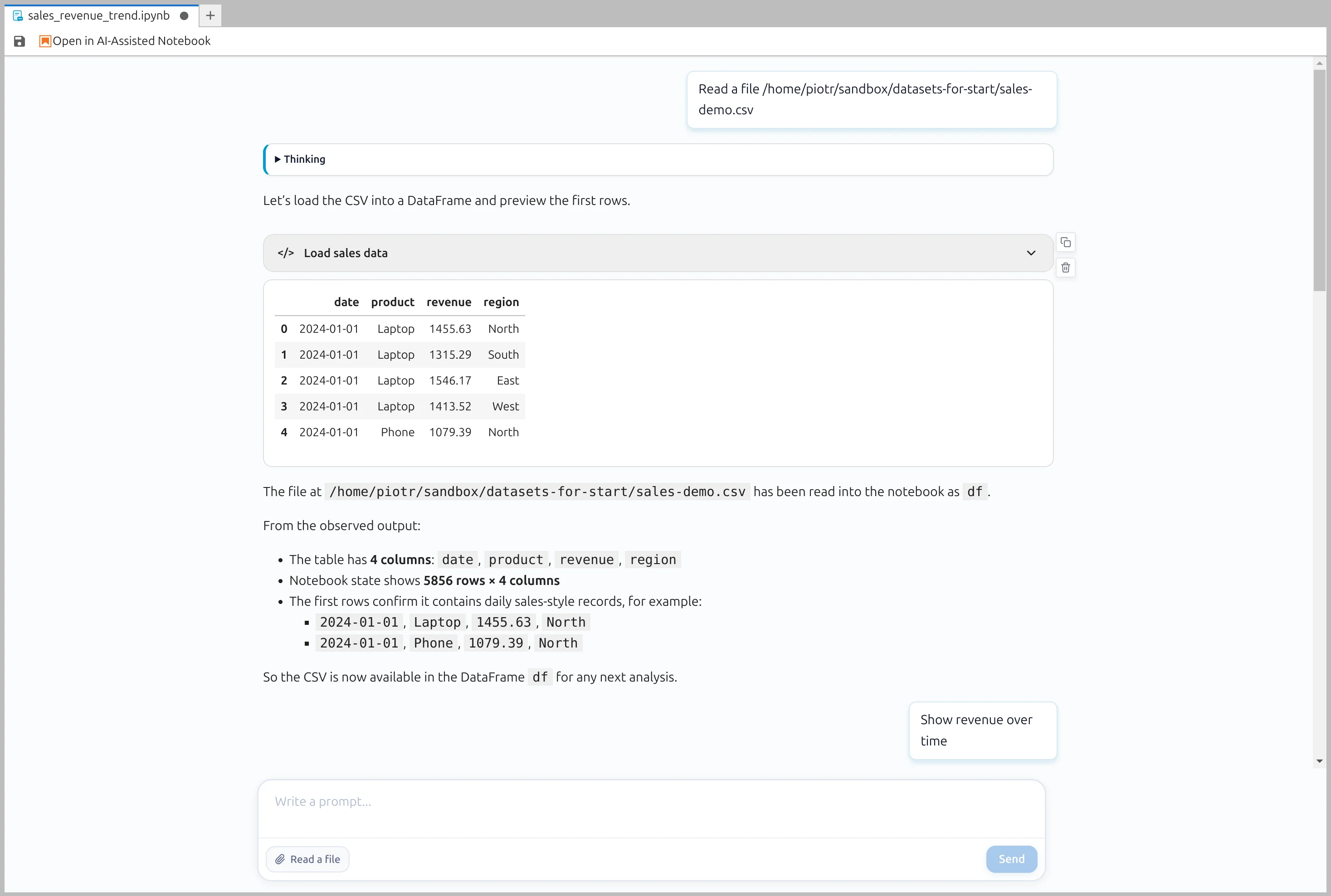
Start by asking the assistant to read your dataset from disk. You can point it to a local CSV or other structured file and immediately begin analysis.
2. Ask for time-based insights
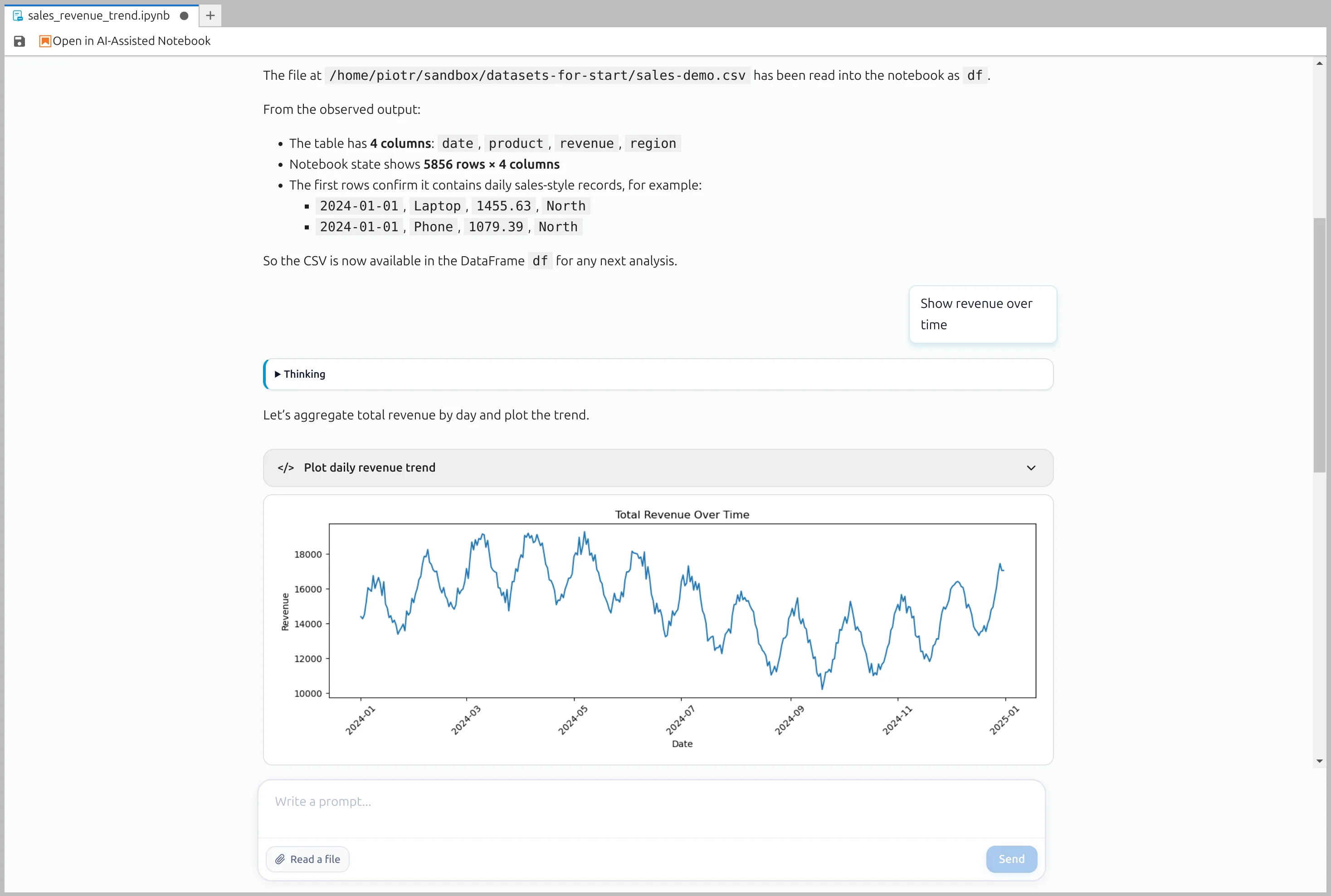
Ask analytical questions in plain language, for example to review revenue over time. The assistant summarizes findings and prepares visual outputs directly in the notebook workflow.
3. Drill into business questions
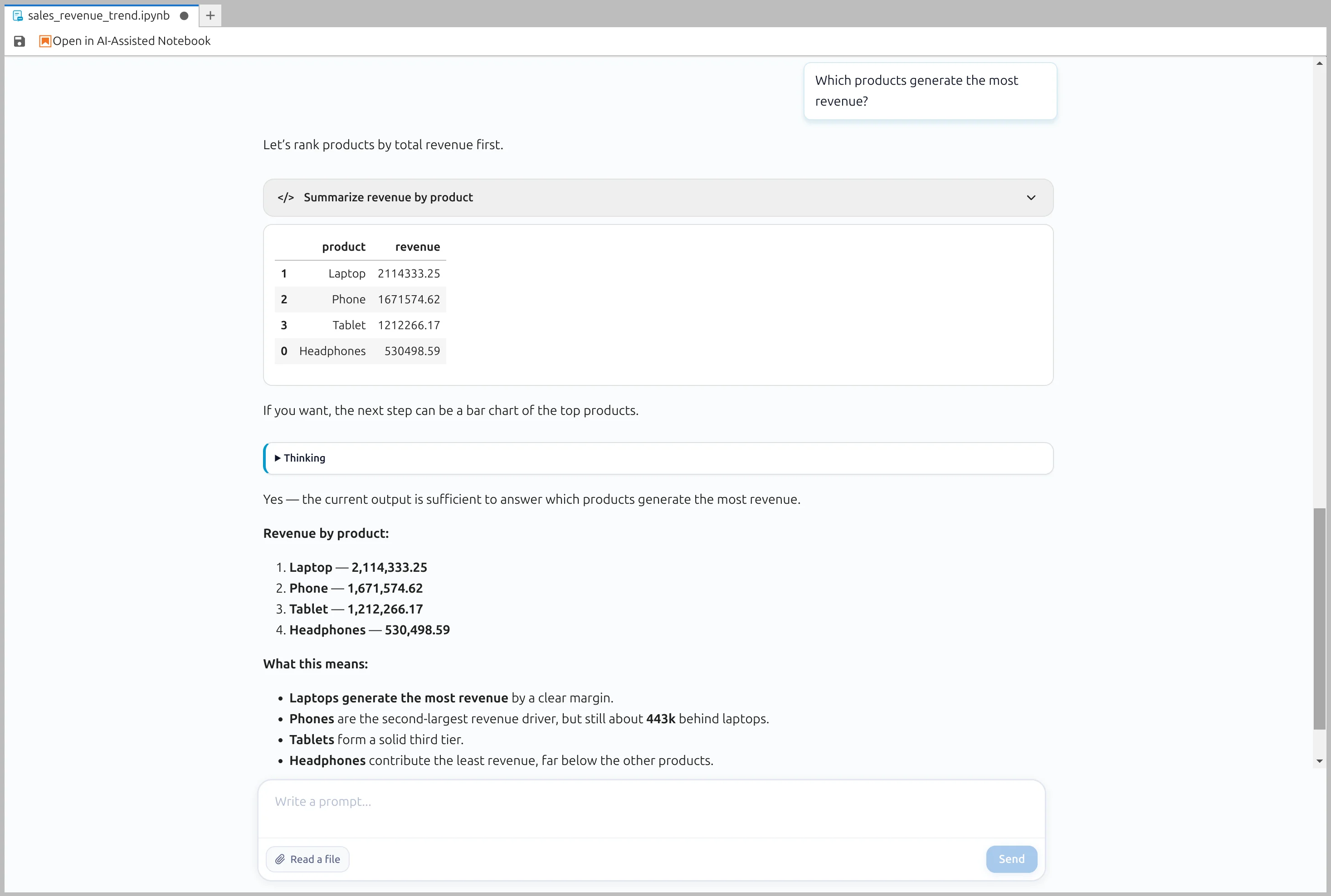
Continue with focused follow-up prompts such as identifying which product generates the most revenue. The assistant keeps context from previous steps so exploration stays fast and iterative.
4. Inspect generated Python code
You always have access to generated code. Open the code block to review plotting logic, calculations, and transformations before reusing or extending it in your notebook.
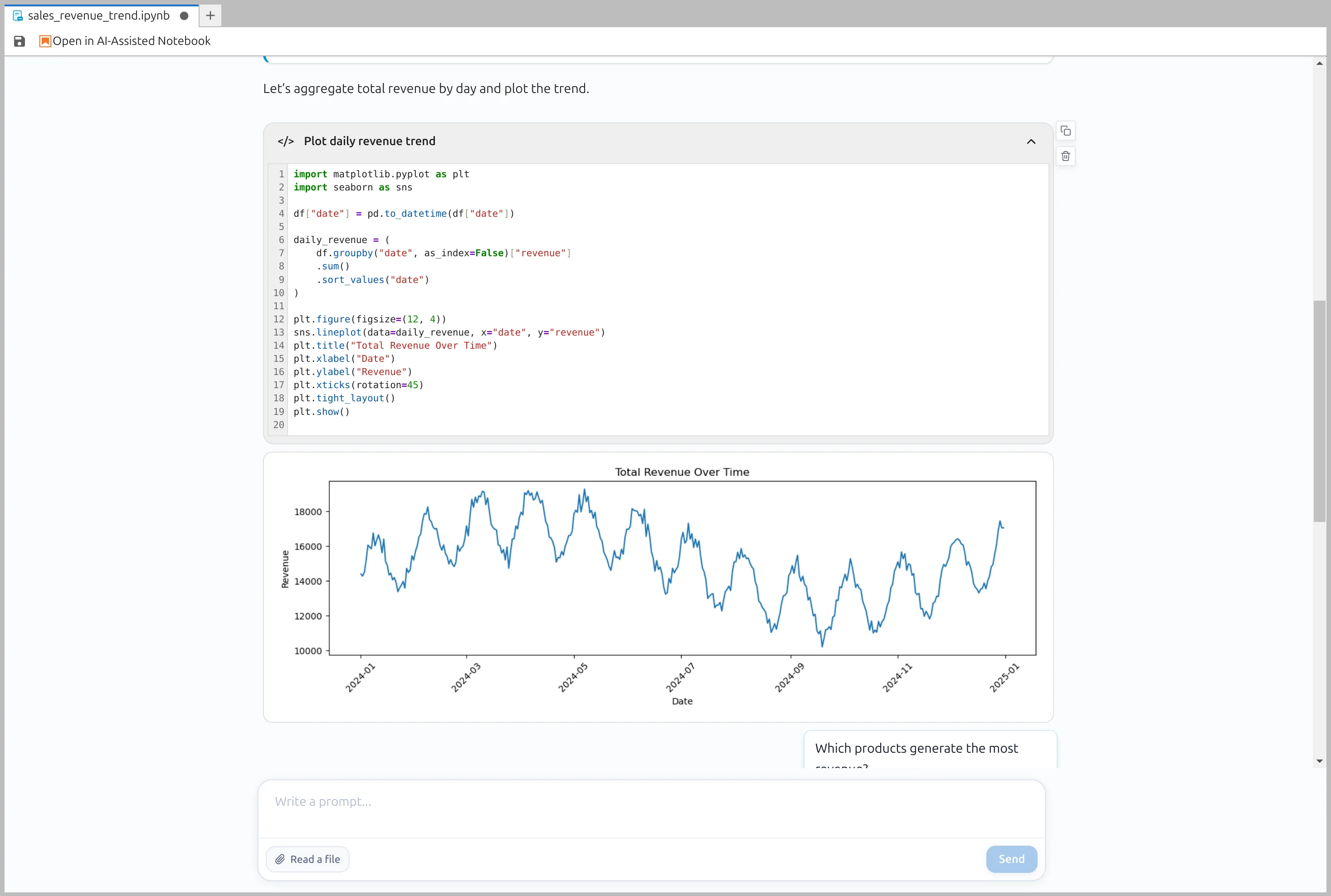
Every executed step is saved in your notebook, so results remain reproducible and easy to share with your team.
Need task-specific snippets? Browse Code Recipes.