
AutoLab
AutoLab Experiments
AutoLab Experiments let you run autonomous machine learning experiments in a structured workflow. You define the task, set constraints, and let AI agents explore multiple solutions while keeping everything transparent and reproducible.
Each trial is saved as a notebook with code and outputs, so you can inspect, compare, and reuse results.
How AutoLab works
1. Define the ML problem in the setup form (dataset, target, metric, validation strategy, trial budget).
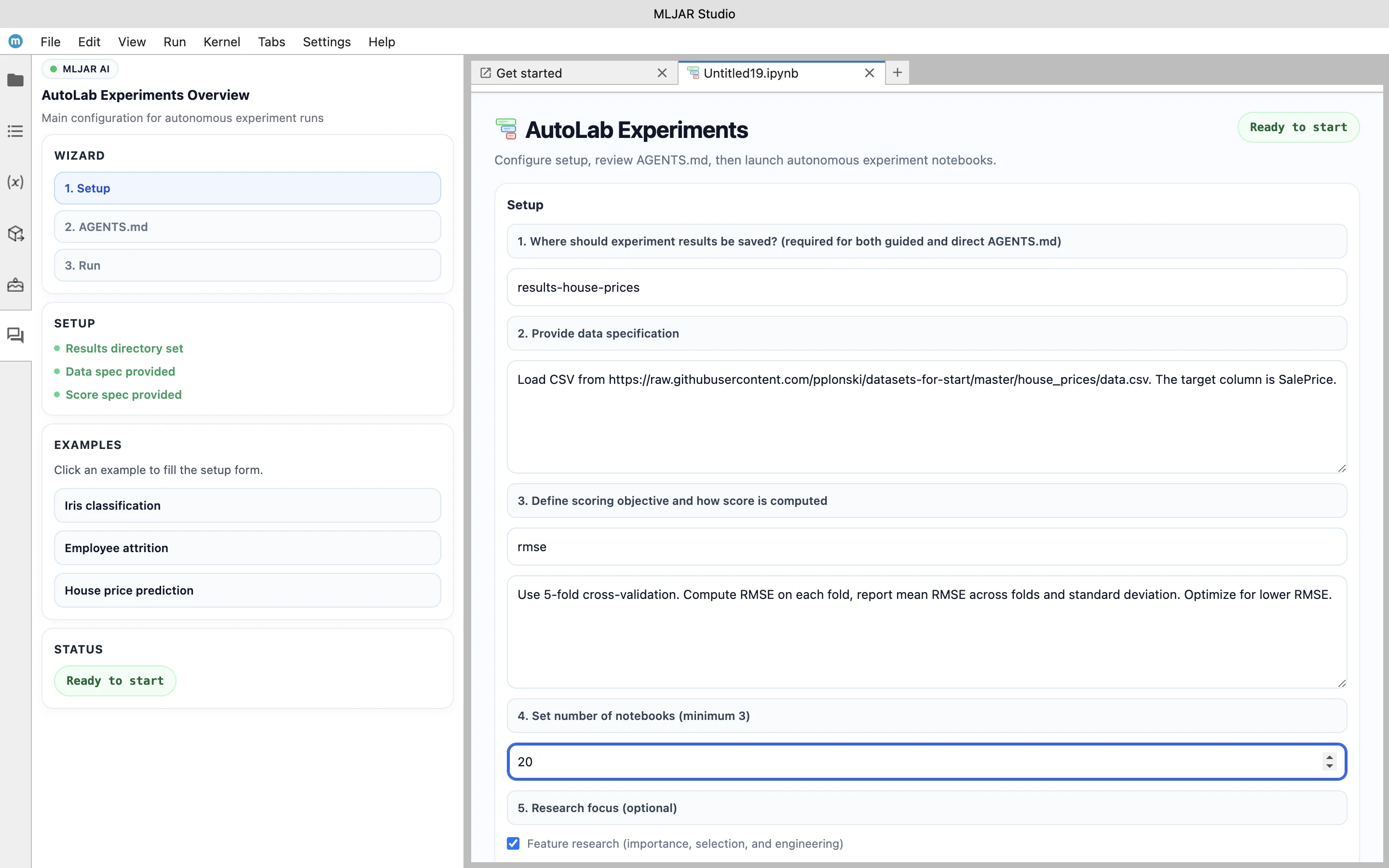
2. Generate and review AGENTS.md. This file defines the task objective, evaluation metric, and constraints for AI agents before experiments start.
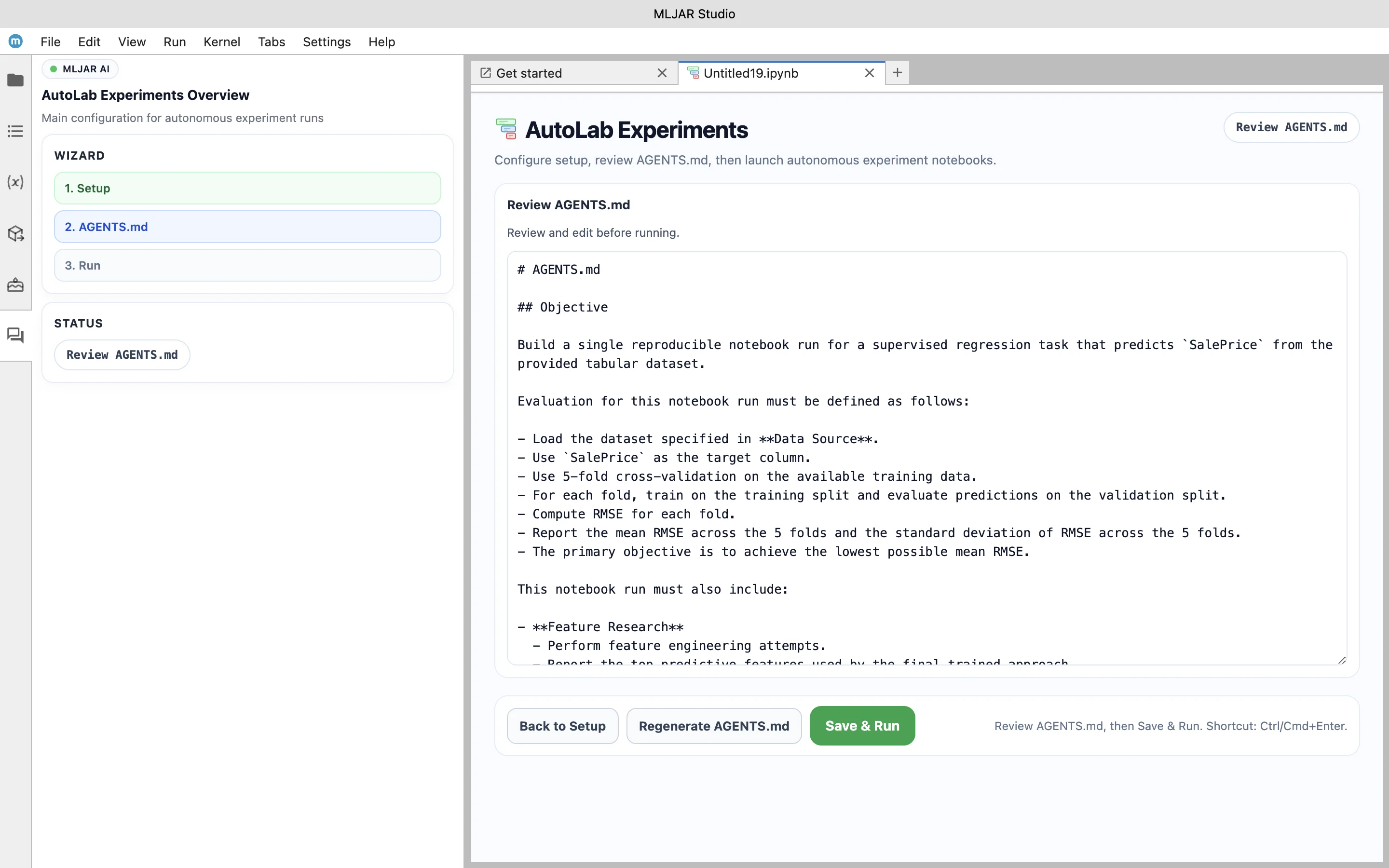
3. Start the experiment. AutoLab agents run trials and search for better model pipelines.
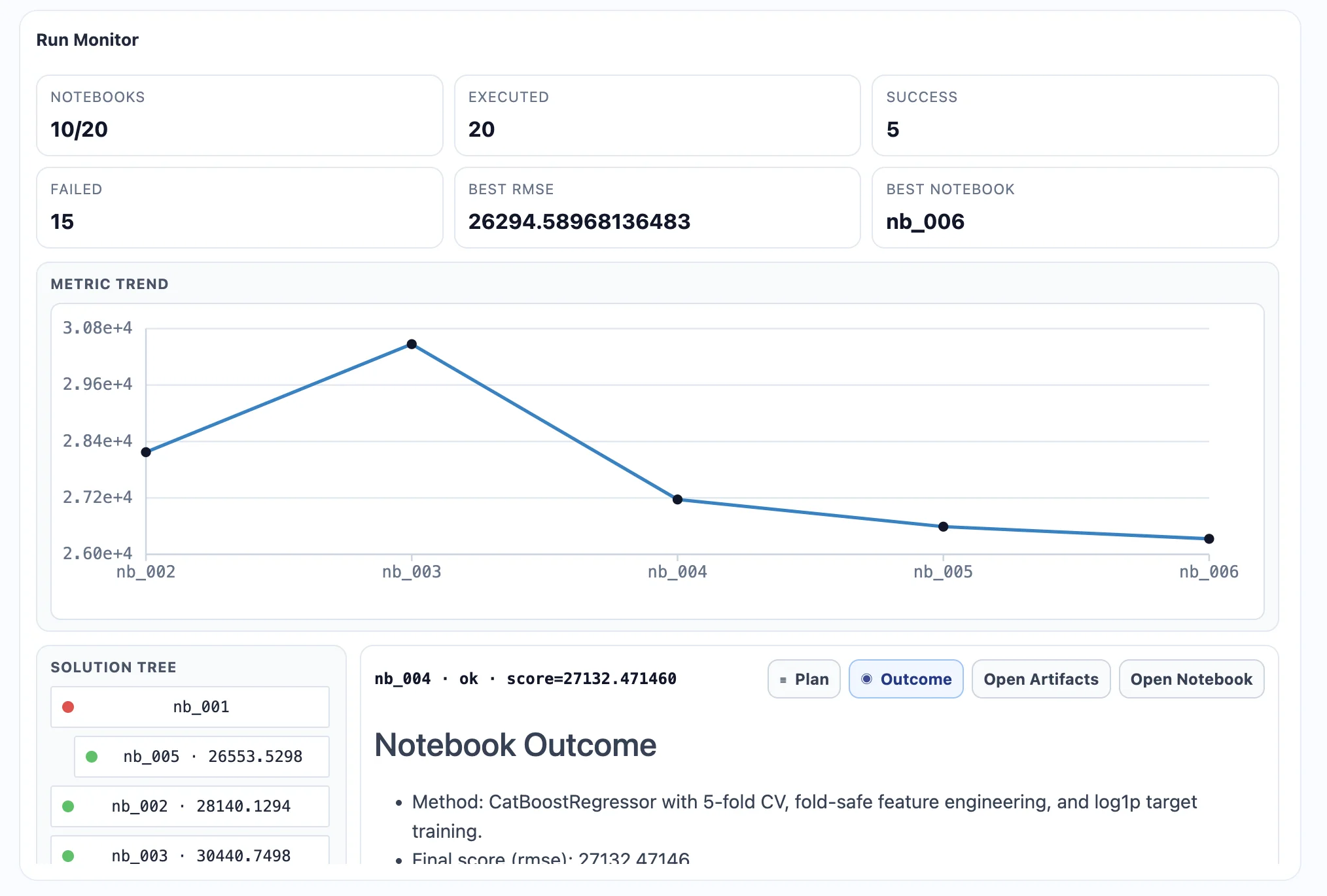
4. Review generated notebooks for each trial to understand what was tested and what improved the score.
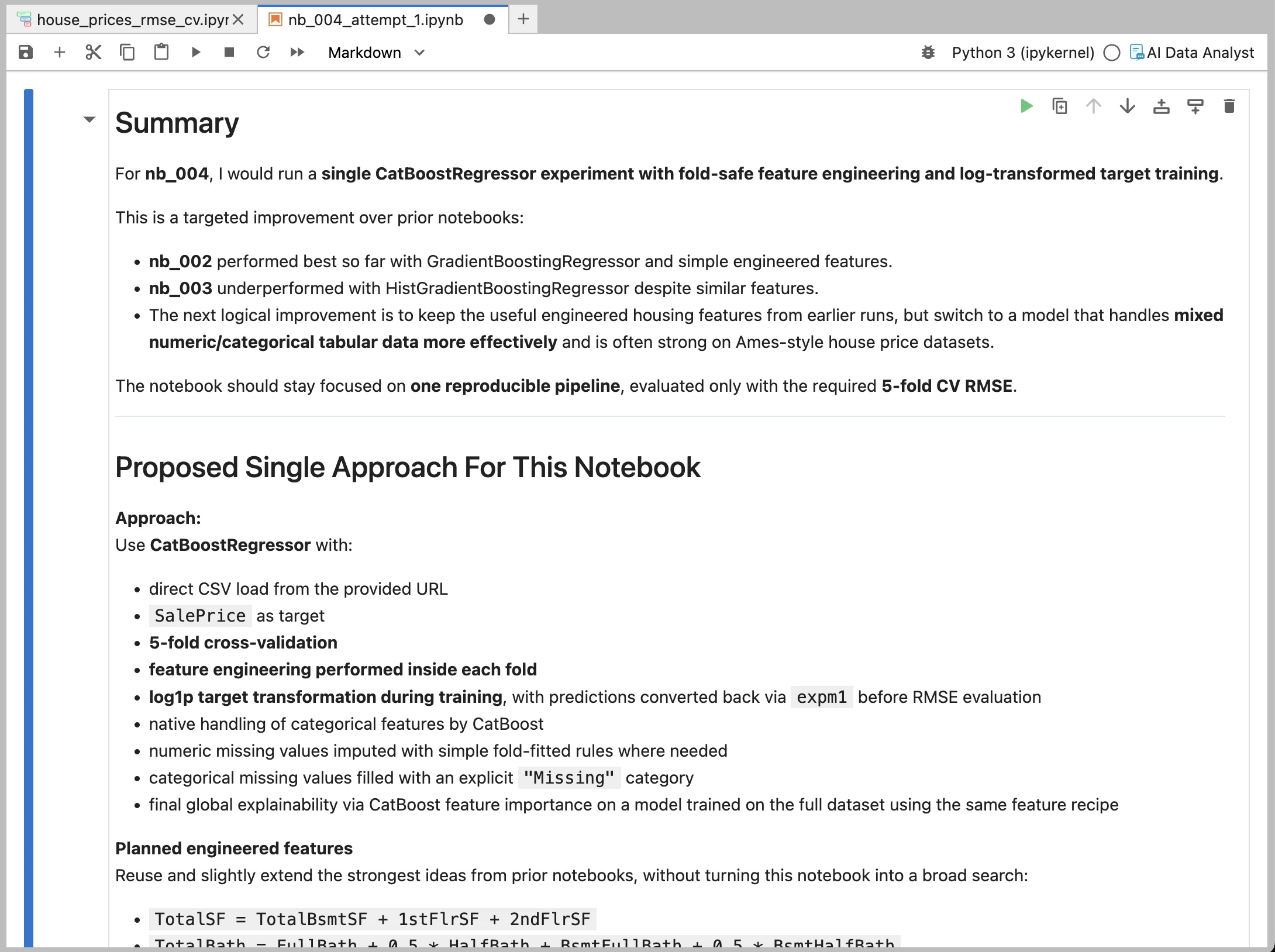
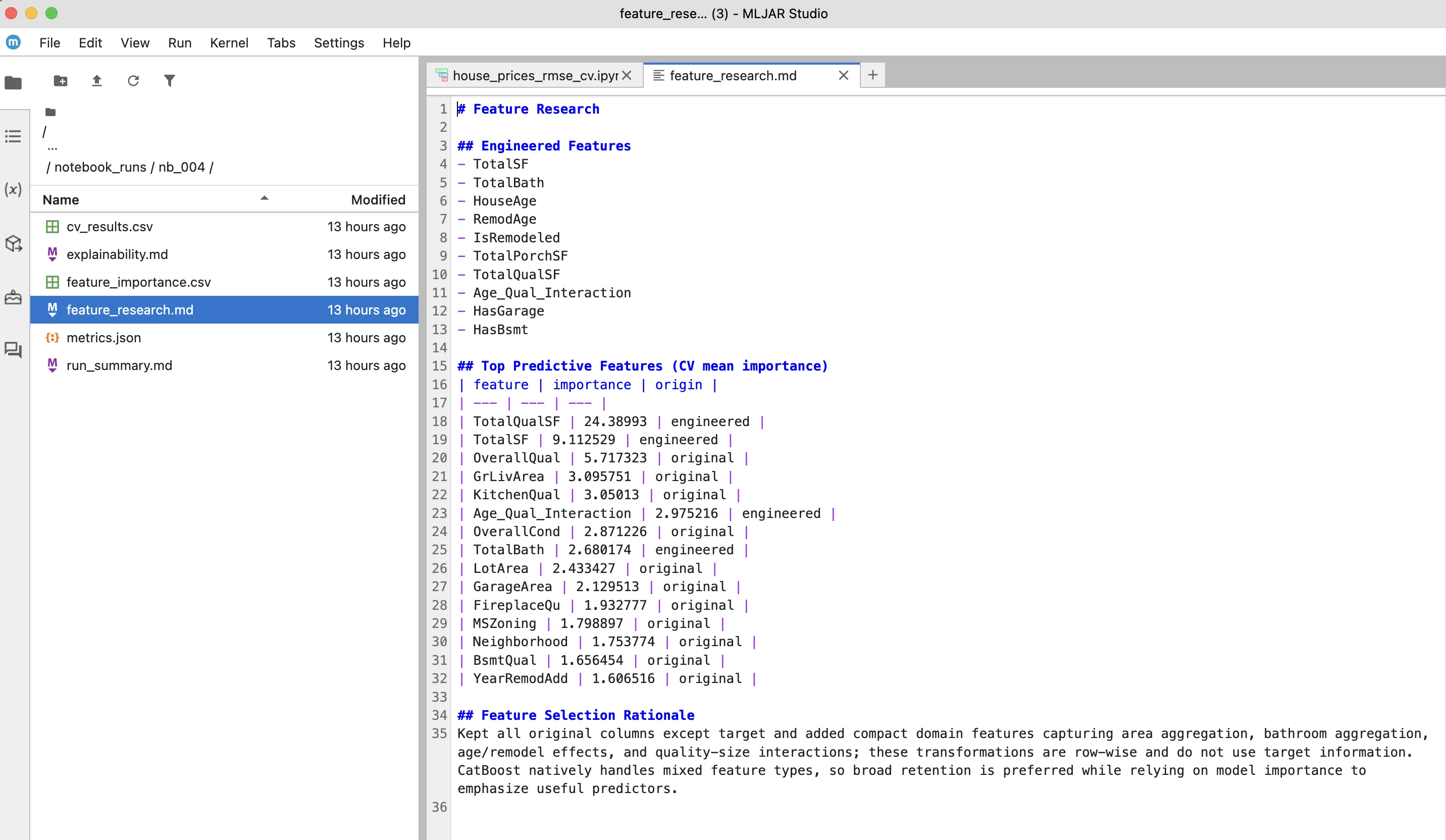
5. Inspect generated artifacts such as feature research and model explainability outputs.
Why use AutoLab
• Run more experiments in less time
• Keep full visibility into generated code
• Compare trial results in one place
• Reuse experiment notebooks in your workflow
AutoLab is designed for practical machine learning work: faster iteration, reproducible outputs, and full local control.