
Merge Excel files
Combine three matching monthly workbooks, preserve each row's source file, verify counts, and save one quarterly workbook.
AI-powered spreadsheet workflows
Ask questions about your Excel and CSV files in plain English. MLJAR Studio writes real Python code, runs it on your computer, and lets you rerun the same analysis whenever new data comes in.
No data leaves your computer. Free account, no time limit.
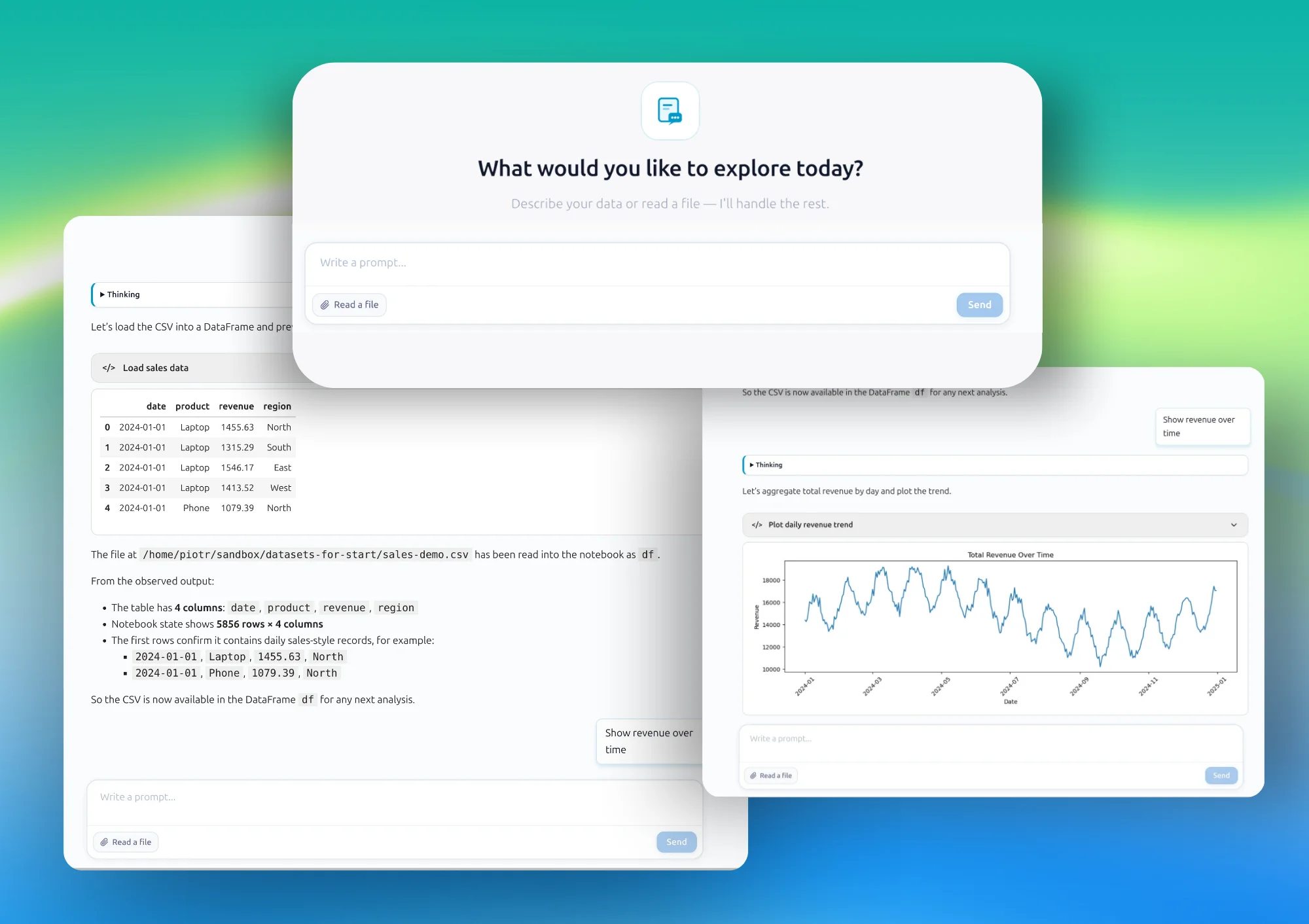
Most spreadsheet work is the same steps done by hand, over and over: open the file, clean it up, merge it with another file, calculate something, send a report. VLOOKUPs break when a column moves. Formulas get copied into the wrong row. Nobody's sure which version of the file is the current one.
MLJAR Studio turns that process into Python — written by AI, but visible, editable, and reusable. You keep working with the Excel and CSV files you already have. You just stop redoing the same manual steps every week.
Popular workflows
Merge files, add machine learning predictions, or turn a spreadsheet analysis into a web app your team can explore.
Combine three matching monthly workbooks, preserve each row's source file, verify counts, and save one quarterly workbook.
Merge twelve monthly exports, catch silent schema drift, reconcile totals by source file, and keep a human in the analysis loop.
Train AutoML on historical rows, estimate charges for new customers, validate the model, and export a predicted column to Excel.
Build filters, KPIs, a revenue chart, and a regional summary in a notebook, then publish the result with Mercury.
One workspace, four outcomes
Ask questions, get answers
Type a question the way you’d ask a colleague — “which region had the biggest drop in sales” — and MLJAR Studio generates Python to answer it, with a chart or table you can check.
Clean, merge, standardize
Combine files, fix inconsistent formats, and remove duplicates without writing formulas by hand.
Save the workflow, not just the result
Once a workflow works, save it. Point it at next month’s file and run it again in seconds.
Turn it into something your team can use
A notebook that works for you can become a dashboard, chat app, or internal tool others can use — without you becoming a full-time developer.
Local by design
MLJAR Studio runs locally. Pair it with a local LLM through Ollama and the prompts never leave your machine either — nothing you type, and nothing in your file, is sent anywhere. That matters most for the data you’re not allowed to upload: patient records, financial statements, employee data.
Your computer is the workspace
No cloud upload
A familiar mental model
If you know Excel, you already know most of this. A VLOOKUP is a pandas merge. A pivot table is a groupby. An IF formula is a conditional. MLJAR Studio generates the Python for you and shows you the mapping as it goes, so you can follow along even if you’ve never written code.
Excel
=VLOOKUP(A2,
 products!A:D,
 4,FALSE)
pandas
orders.merge(
 products,
 on="product_id")
From spreadsheet to reusable workflow
You stay in control at every step. MLJAR Studio handles the setup, shows its work, and saves the result as a notebook you can run again.
Excel or CSV, straight into MLJAR Studio.
Describe what you need, no syntax required.
Inspect, edit, or rerun the generated code.
Keep it as a reusable workflow, or turn it into a dashboard or app.
The important difference
MLJAR Studio runs locally and shows you the actual Python behind every answer — that’s the main difference from cloud AI spreadsheet tools that hide the logic or require uploading your file.
FAQ
No. You describe what you want in plain English and MLJAR Studio generates the Python. Knowing Python helps if you want to edit the code, but it isn't required to get an answer.
No, by default MLJAR Studio runs on your computer. If you also use a local LLM through Ollama, your prompts stay local too — nothing is sent to a cloud API.
Excel (.xlsx, .xls) and CSV files are the main formats, with support for multiple sheets and multiple files at once.
Yes. Once your analysis works in a notebook, you can publish it as a dashboard, chat app, or internal tool with Mercury — no separate frontend build required.
Formulas are hard to audit, reuse, or scale past a certain file size. Python code generated here is visible, editable, version-controllable, and works the same on a 500-row file or a 5-million-row file.
It works alongside it. You keep your Excel and CSV files — MLJAR Studio adds a Python layer on top for analysis, cleaning, and automation you'd otherwise do by hand.
Download MLJAR Studio and try it on your own Excel or CSV file today.