
Starting point
- Mercury
- Your existing Jupyter notebook (.ipynb)
- Dash
- A Python app with a component layout and callbacks
Dashboard framework comparison · Reviewed August 2026
Mercury turns an existing analysis notebook into a dashboard without a separate component tree, callback graph, or frontend layout layer. For most notebook-based dashboards, that is the shorter path from result to a usable application.
Dash offers deeper application-level control. This comparison shows when that extra architecture is useful—and when Mercury’s notebook-first publishing model is a better fit.
import mercury as mrname = mr.TextInput(label="What is your name?")mr.Markdown(f"## Hello {name.value}! 👋")from dash import Dash, html, dcc, Input, Output, callback
app = Dash()
app.layout = html.Div([
dcc.Input(
id="name",
type="text",
placeholder="What is your name?",
),
html.Div(id="output"),
])
@callback(
Output("output", "children"),
Input("name", "value"),
)
def greet(name):
return f"Hello {name}! 👋" if name else ""
if __name__ == "__main__":
app.run(debug=True)The short answer
Quick answer
Mercury keeps the notebook as the application source. Dash separates the interface into a component layout and an explicit callback graph.
The starting point
A small greeting shows the structural difference without pretending that either framework needs complex business logic.
import mercury as mrname = mr.TextInput(label="What is your name?")mr.Markdown(f"## Hello {name.value}! 👋")from dash import Dash, html, dcc, Input, Output, callback
app = Dash()
app.layout = html.Div([
dcc.Input(
id="name",
type="text",
placeholder="What is your name?",
),
html.Div(id="output"),
])
@callback(
Output("output", "children"),
Input("name", "value"),
)
def greet(name):
return f"Hello {name}! 👋" if name else ""
if __name__ == "__main__":
app.run(debug=True)Dash separates the component tree from the function that updates it, then connects them by component ID and property. That is more code here, but it provides fine-grained, traceable control as an application grows. Mercury keeps the widget beside the notebook logic and determines what reruns from cell position.
Execution model
Nothing updates merely because it appears later in the file. A callback declares the Input that triggers it and the Output it changes.
Dash connects component properties through @callback(Output(...), Input(...)). The function runs when its declared input changes, and its return value updates the declared output. This makes the interaction graph visible in code.
Mercury has no callback API. A widget’s .value is a regular Python value, and the cells below that widget rerun when it changes. Dash asks for more wiring; Mercury relies on notebook order. Dash’s explicitness is a deliberate tradeoff, not a flaw.
@callback(
    Output("sales-chart", "figure"),
    Input("region", "value"),
)
def update_chart(region):
    filtered = df if region == "All" else df[df.region == region]
    return px.bar(filtered, x="month", y="revenue")
The component properties and update function are linked explicitly.
When Dash may fit better
Dash earns its additional complexity when a project genuinely needs browser-side callbacks, background job infrastructure, advanced grids, or enterprise operations.
Run interaction logic in JavaScript inside the browser, avoiding a server round trip when the work belongs on the client.
Read the official documentationMove long-running Python work to a DiskCache or Celery-backed queue instead of occupying the web request worker.
Read the official documentationBuild editable, filterable data grids. Advanced features such as pivoting and row grouping are available through AG Grid Enterprise.
Read the official documentationAdd an organization-wide platform for deployment, app management, authentication, scaling, and production operations.
Read the official documentationThese capabilities matter for a narrower class of applications. If your goal is to share an existing notebook as a dashboard, Mercury avoids paying that architectural cost before you need it.
Mercury styles
Use a ready-made style or configure a few theme tokens for your colors, typography, sidebar, navigation, and application surfaces.
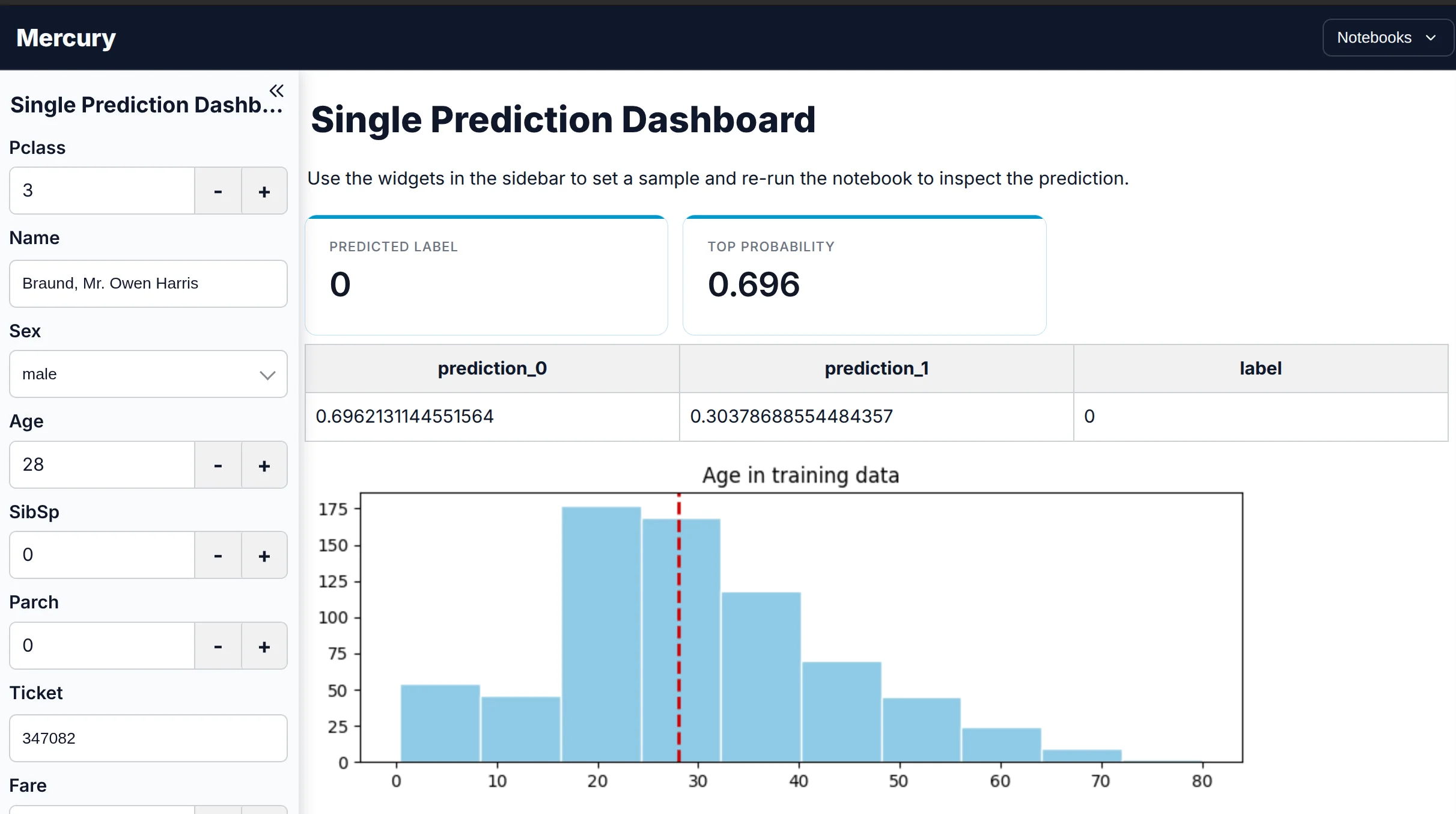
A clean, neutral application theme for reports and everyday dashboards.
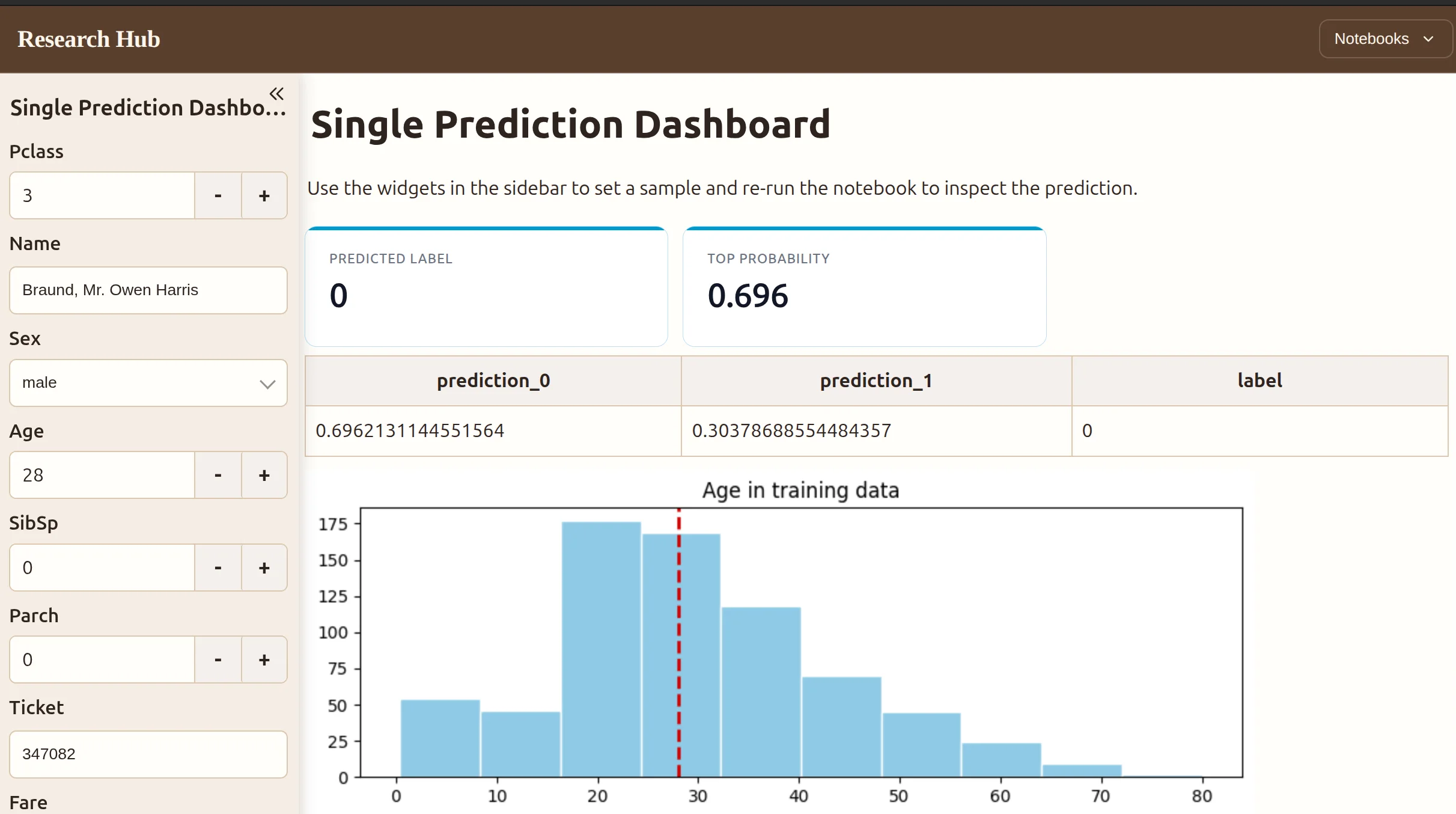
A warmer publication-style theme for research, reports, and narrative analysis.
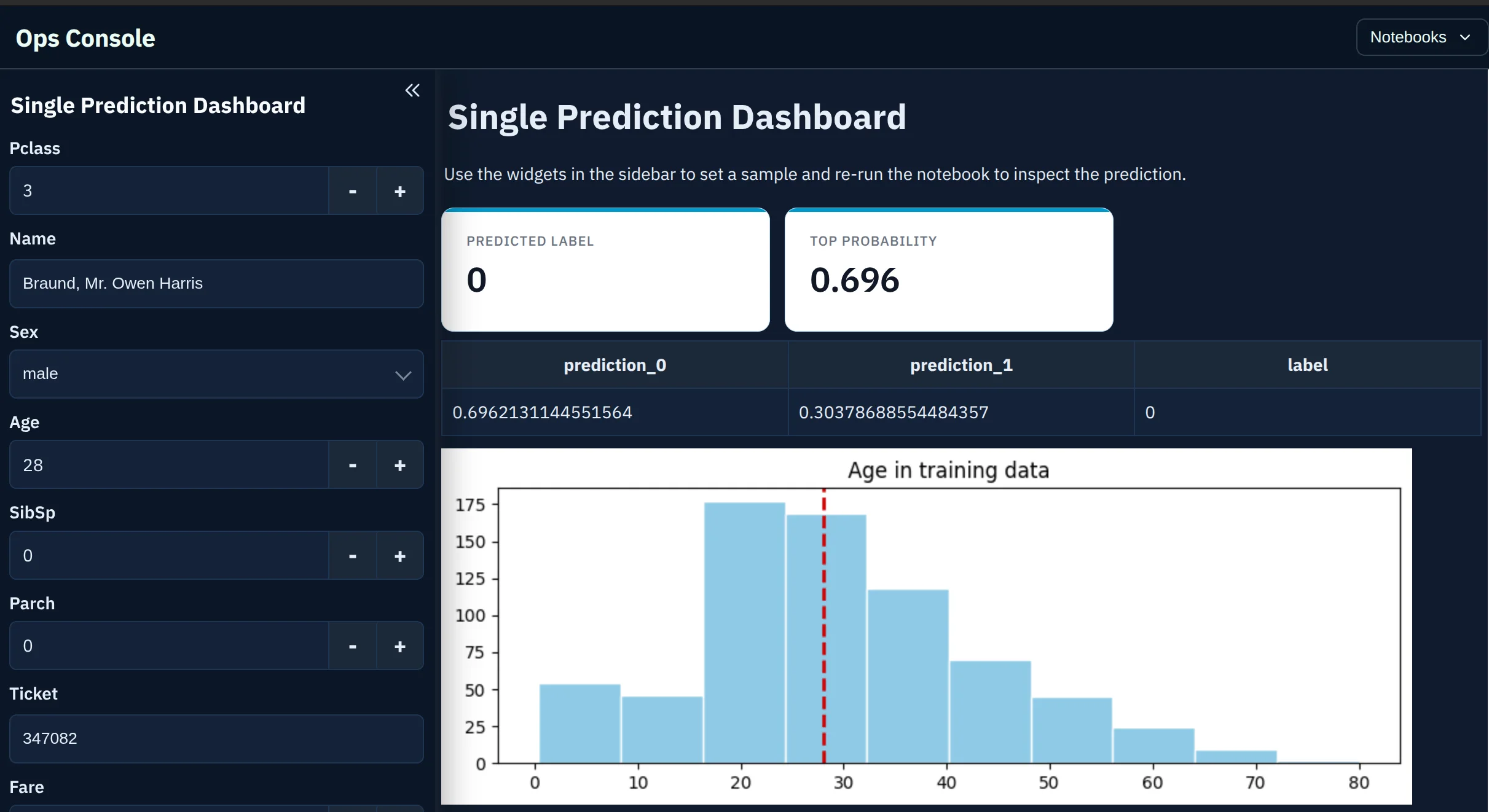
A high-contrast dark theme for operational dashboards and internal tools.
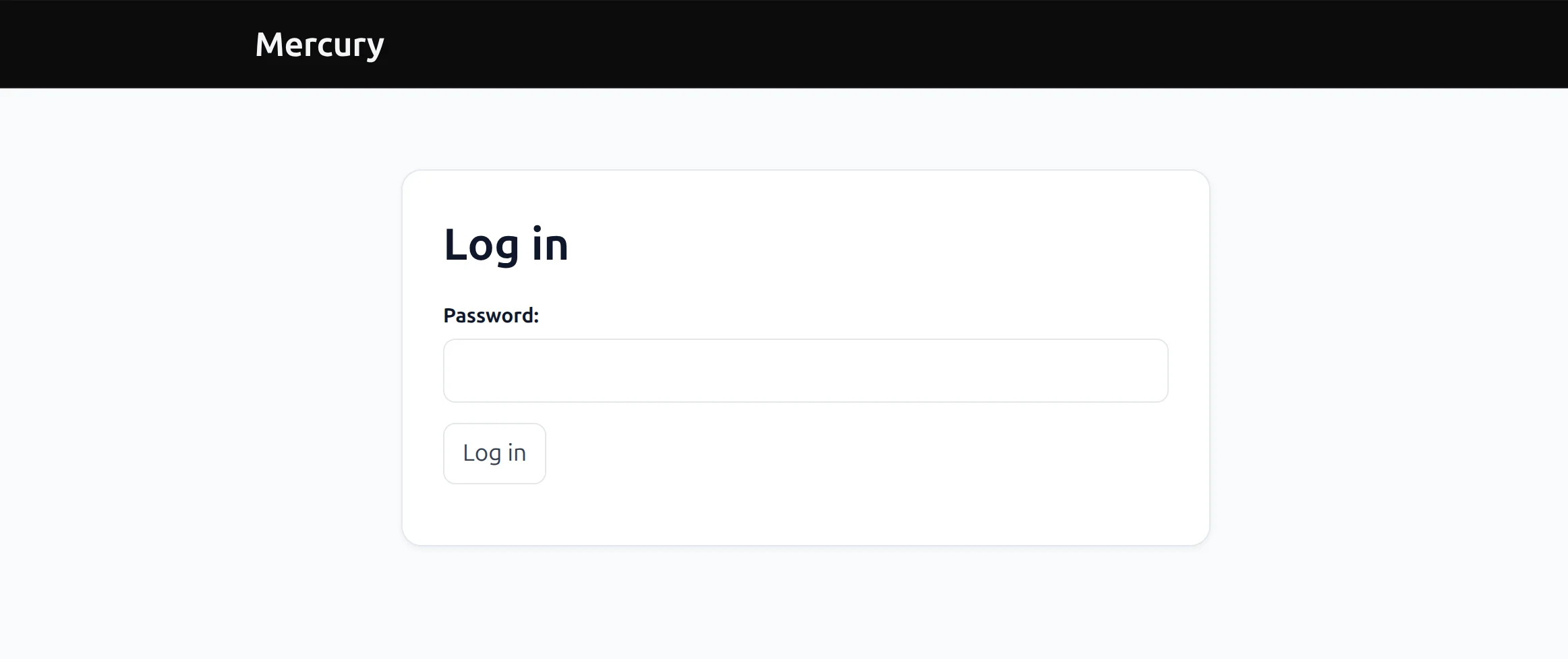
Built-in access protection
A team dashboard does not need to be public. For a self-hosted Mercury app, add one flag when the server starts to show Mercury’s shared-password login.
The server flag provides one shared password. Paid MLJAR Cloud plans add private app capacity when you need individual access.
Dash is not missing password protection: the free dash-auth package adds HTTP Basic Auth in a few lines. Mercury’s advantage is that login can be part of the same notebook publishing and managed deployment flow.
Deployment
Send the notebook app directly to MLJAR Cloud without preparing a server, container, or deployment pipeline.
The MLJAR Free plan includes one public Mercury web app. Build the dashboard in a notebook, click deploy in MLJAR Studio, and share the generated URL without operating a server.
Deploy a Mercury app for freePaid cloud plans add private app capacity. If your organization needs complete infrastructure control, deploy the same Mercury notebook on your own server with Docker.
Compare publishing limitsDecision guide
Both produce interactive data apps in pure Python. Mercury takes the notebook as the source and adds the application layer around it. Dash is an application you write, with a callback graph you define explicitly.
The callback graph is the real trade. Dash makes every dependency explicit, which is more to write and gives precise control over what recomputes. Mercury infers execution from cell order, which is less to write and can rerun more than strictly necessary. For a notebook of moderate cost, that is a fair trade. For an app where a single expensive step must not rerun, explicit callbacks win.
Using MLJAR Studio? You can publish a notebook as a free public Mercury app directly from the editor. See how one-click publishing works
FAQ
For server-driven interactive updates, callbacks are Dash’s core model: you declare the component property that triggers the function and the property it updates. Dash also offers clientside callbacks and direct property updates for more specialized cases. Mercury has no callback API.
Dash is usually the stronger fit when the application needs explicit interaction control, background jobs, browser-side callbacks, advanced data grids, or multi-page routing. Mercury is a strong production fit when the notebook itself should remain the application source.
Yes. Dash 2.11 and later can run directly in Jupyter Notebook and JupyterLab, displaying inline by default. The app is still written as a Dash layout with callbacks; the notebook is the development environment rather than the application format.
Dash core is MIT-licensed and free to self-host. Some surrounding products and features are commercial: Dash Enterprise is paid, and the enterprise feature set in Dash AG Grid requires an AG Grid Enterprise license.
Mercury is generally simpler when you already work in Jupyter because widgets sit beside the analysis and need no callback wiring. Dash takes more structure upfront, but that explicit layout-and-callback model becomes valuable in large applications.
Yes. Start a self-hosted Mercury server with the --pass option to show a shared-password login before the dashboard opens. Private MLJAR Cloud apps with individual access are available on paid plans.
Yes. A compact config.toml controls the theme, typography, colors, navigation, sidebar, welcome page, and other application details. Mercury also provides ready-made configurations that you can use as starting points.
Yes. MLJAR Studio provides one-click deployment of Mercury notebook apps to MLJAR Cloud. The free plan includes one public Mercury app; paid plans add private app capacity.
Keep your analysis, add reactive controls, apply your style, protect access, and publish without managing a server.
pip install mercury