
LLM Providers
MLJAR AI
MLJAR AI is the default LLM provider in MLJAR Studio. It is designed for users who want AI assistance without configuring an API key, installing local models, or running an LLM server.
Use MLJAR AI when you want the fastest path into AI Data Analyst, AI Code Assistant, and AutoLab workflows. It is the simplest provider to start with because it works out of the box.
MLJAR AI is available for free during the trial. After the trial, MLJAR AI requires an MLJAR AI subscription. The subscription is an add-on, and you need a perpetual MLJAR Studio license to buy it.
When to use MLJAR AI
- You are new to MLJAR Studio and want to start quickly.
- You do not want to manage OpenAI API keys.
- You do not want to install or run Ollama locally.
- You want a default provider for general data analysis and notebook assistance.
Setup and connection status
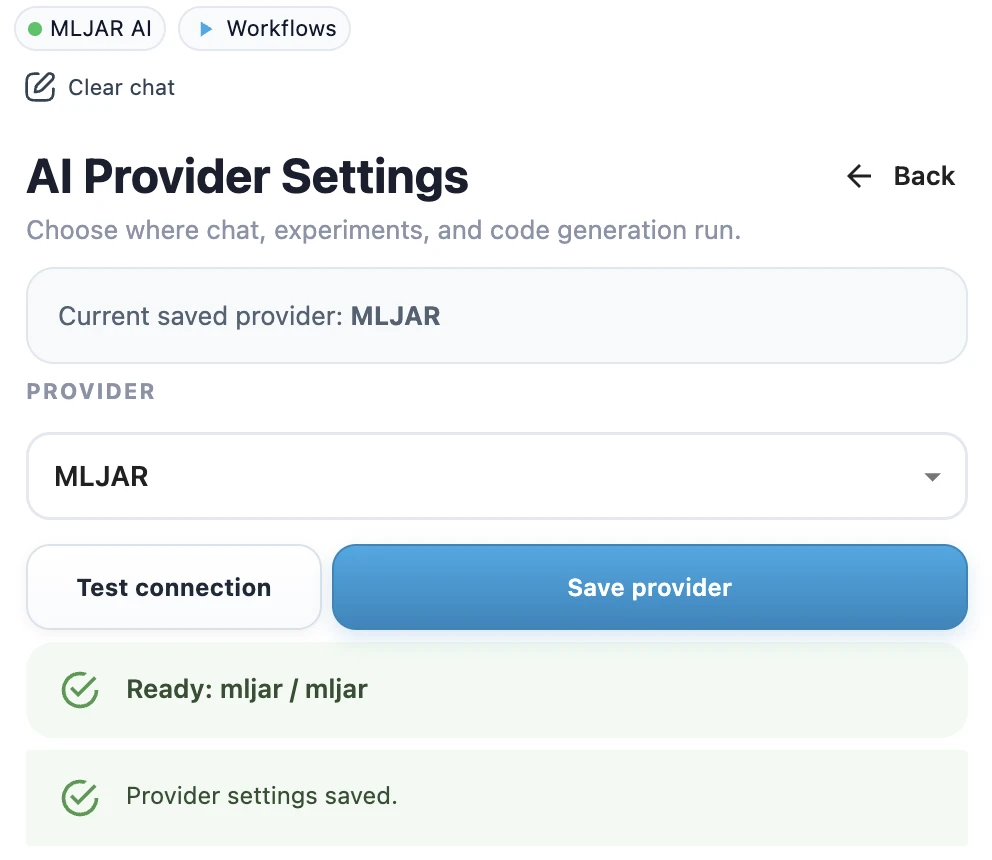
MLJAR AI does not require an API key, model name, or local server setup. It is the default provider in MLJAR Studio.
If you switch back to MLJAR AI in provider settings, click Test connection first. When the test succeeds, click Save provider. MLJAR Studio shows a success toast, and the provider name is displayed in the top chip in the sidebar with a green dot.
What you can do with it
- Ask questions about your data in AI Data Analyst.
- Generate and improve Python code in AI Code Assistant.
- Use AI assistance while working in notebooks.
- Run AI-driven workflows without setting up a separate provider first.
Limitations
MLJAR AI is convenient, but it is not the right choice for every environment. If your team requires a specific vendor, an existing OpenAI account, a local-only model, or an approved on-premises LLM endpoint, configure a different provider instead.
Related pages
Compare all provider options in Local vs Cloud LLMs, or learn how to configure OpenAI and Ollama local models.