
Starting point
- Mercury
- Your existing Jupyter notebook (.ipynb)
- Voila
- An existing Jupyter notebook (.ipynb)
Notebook app comparison · Reviewed August 2026
Both preserve your notebook, and both work with existing ipywidgets. Mercury also gives you a reactive widget layer, ready-made themes, a home page for multiple notebooks, a login screen, and one-click cloud deployment.
Keep the Jupyter widgets you already have, or use Mercury widgets when you want downstream cells to rerun automatically without writing observe callbacks.
import mercury as mrname = mr.TextInput(label="What is your name?")mr.Markdown(f"## Hello {name.value}! 👋")import ipywidgets as widgets
from IPython.display import display, Markdownname_input = widgets.Text(
description="What is your name?"
)
output = widgets.Output()def on_change(change):
with output:
output.clear_output()
display(Markdown(
f"## Hello {change['new']}! 👋"
))name_input.observe(on_change, names="value")
display(name_input, output)The short answer
Quick answer
Both preserve the .ipynb file and its Jupyter widgets. Mercury adds an optional reactive model, application styling, access options, and a managed deployment path.
Widget compatibility
Run the Jupyter widgets already in your notebook, or use Mercury widgets when you want automatic downstream cell execution.
import ipywidgets as widgets
from IPython.display import display, Markdownname_input = widgets.Text(
description="What is your name?"
)
output = widgets.Output()def on_change(change):
with output:
output.clear_output()
display(Markdown(
f"## Hello {change['new']}! 👋"
))name_input.observe(on_change, names="value")
display(name_input, output)Mercury preserves this ipywidgets callback pattern just as Voilà does. No migration is required.
import mercury as mrname = mr.TextInput(label="What is your name?")mr.Markdown(f"## Hello {name.value}! 👋")Read .value normally; Mercury reruns the cells below the widget.
Mercury can serve the same Jupyter-widget notebooks as Voilà. Existing ipywidgets controls, .observe() callbacks, and compatible widget libraries continue to work, so moving an interactive notebook to Mercury does not require replacing its widget layer.
Mercury widgets are an additional path. With mr.TextInput, mr.Select, and the rest of Mercury’s widget library, you read .value and let Mercury rerun the downstream cells. You can choose the simpler reactive model for new interactions without giving up the Jupyter widgets already present in the notebook.
Both can hide implementation details. Mercury provides a Show code control in the toolbar. Voilà hides notebook input cells by default through strip_sources, and you can disable that setting when viewers should see the code.
Mercury offers ready-made themes and a compact configuration for typography, colors, surfaces, widgets, navigation, and app details. Voilà still goes deeper for teams that want to maintain custom nbconvert or Jinja templates and control the rendered HTML directly.
Explore Voilà customizationMercury styles
Start from a ready-made config.toml style and adjust the theme tokens for your product, report, or internal tool.
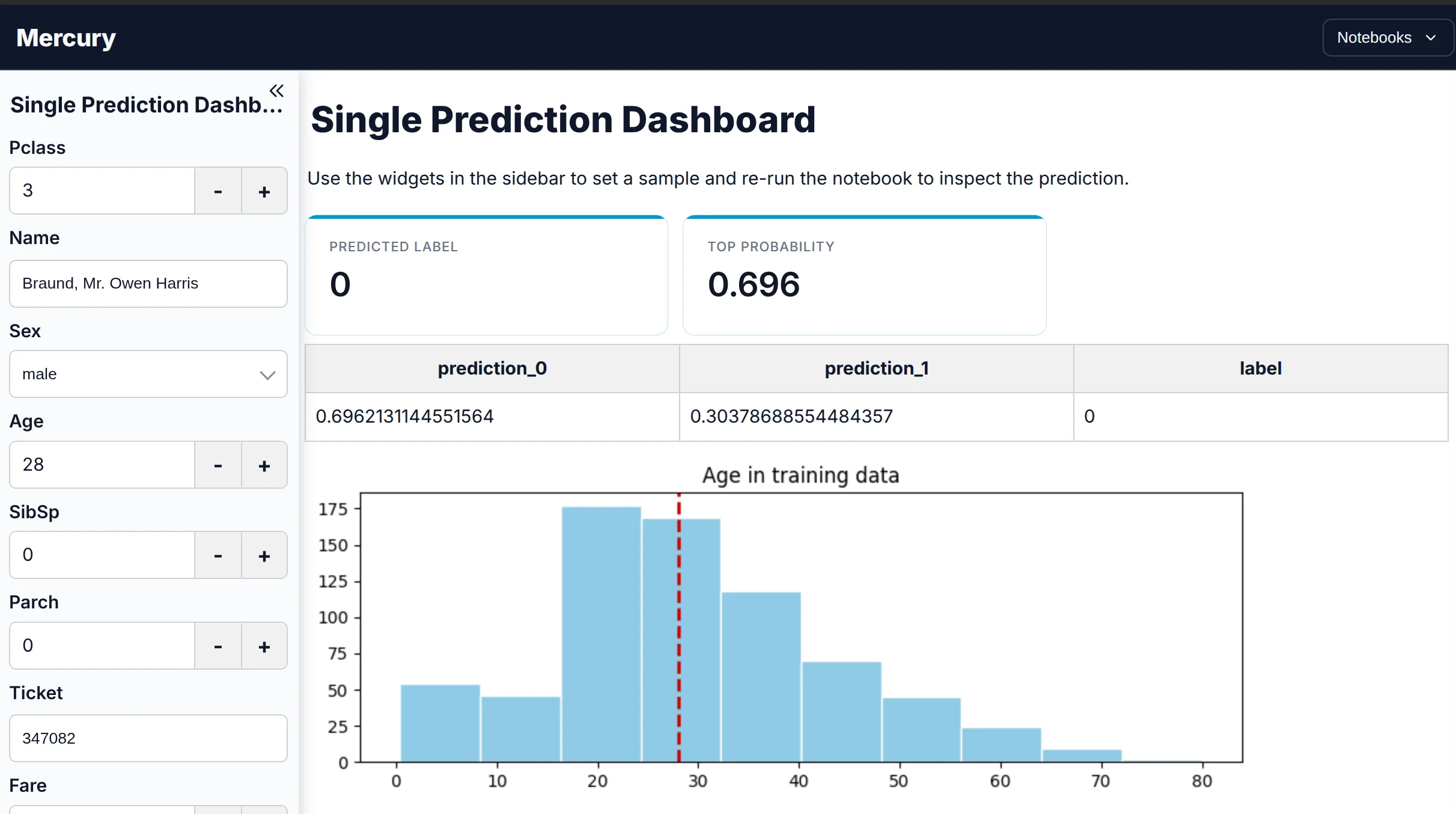
A clean, neutral application theme for reports and everyday dashboards.
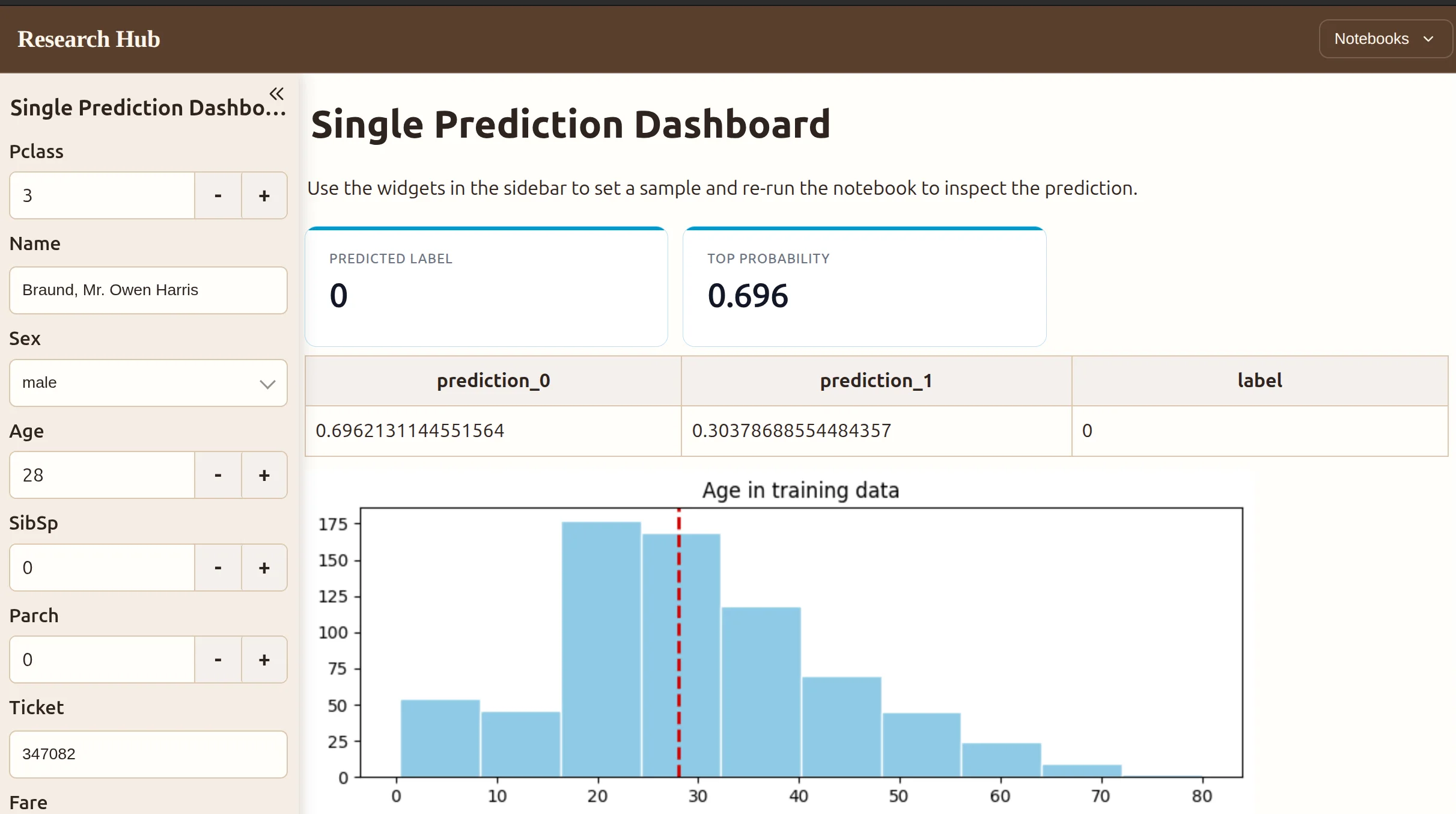
A warmer publication-style theme for research, reports, and narrative analysis.
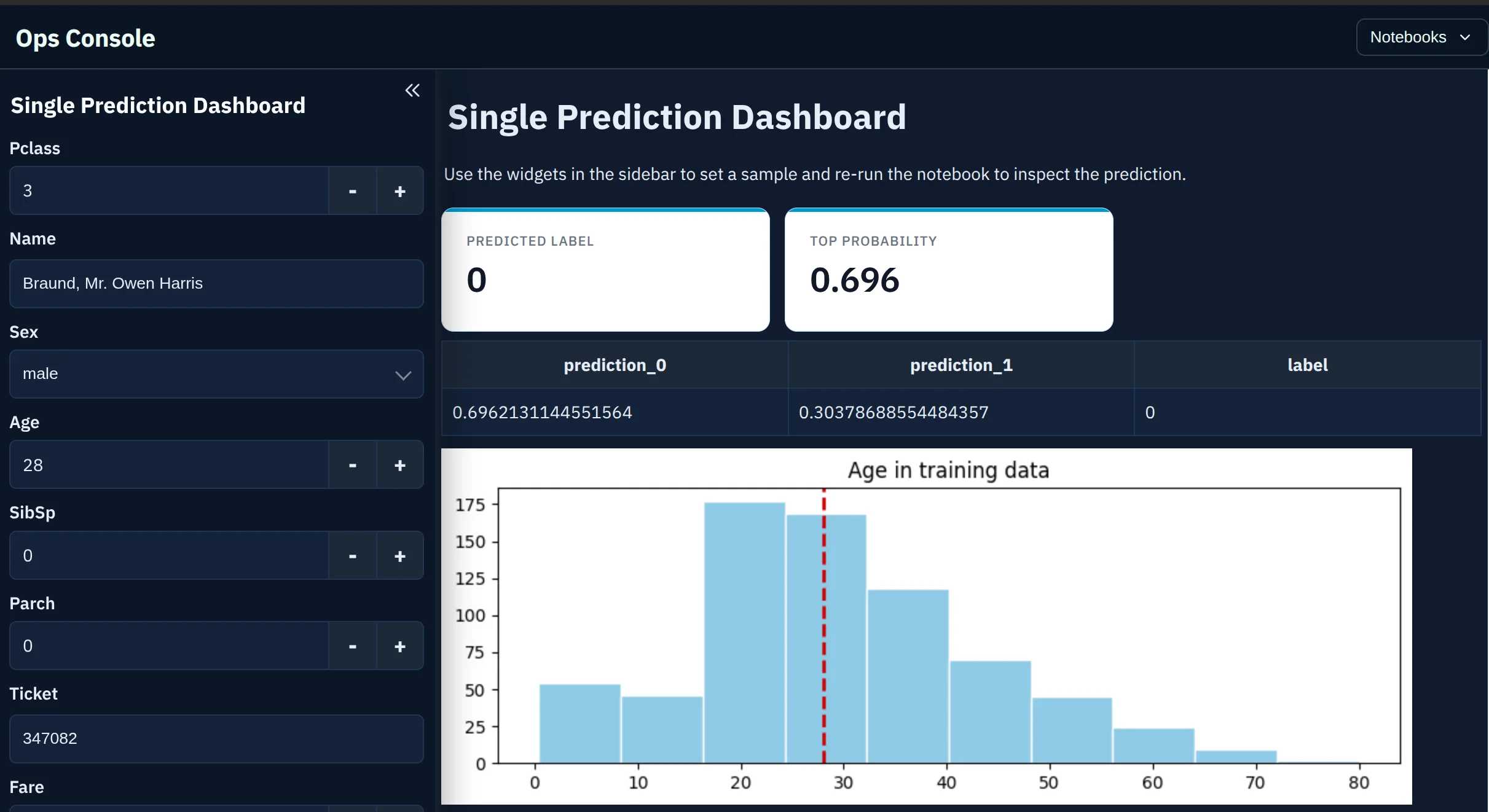
A high-contrast dark theme for operational dashboards and internal tools.
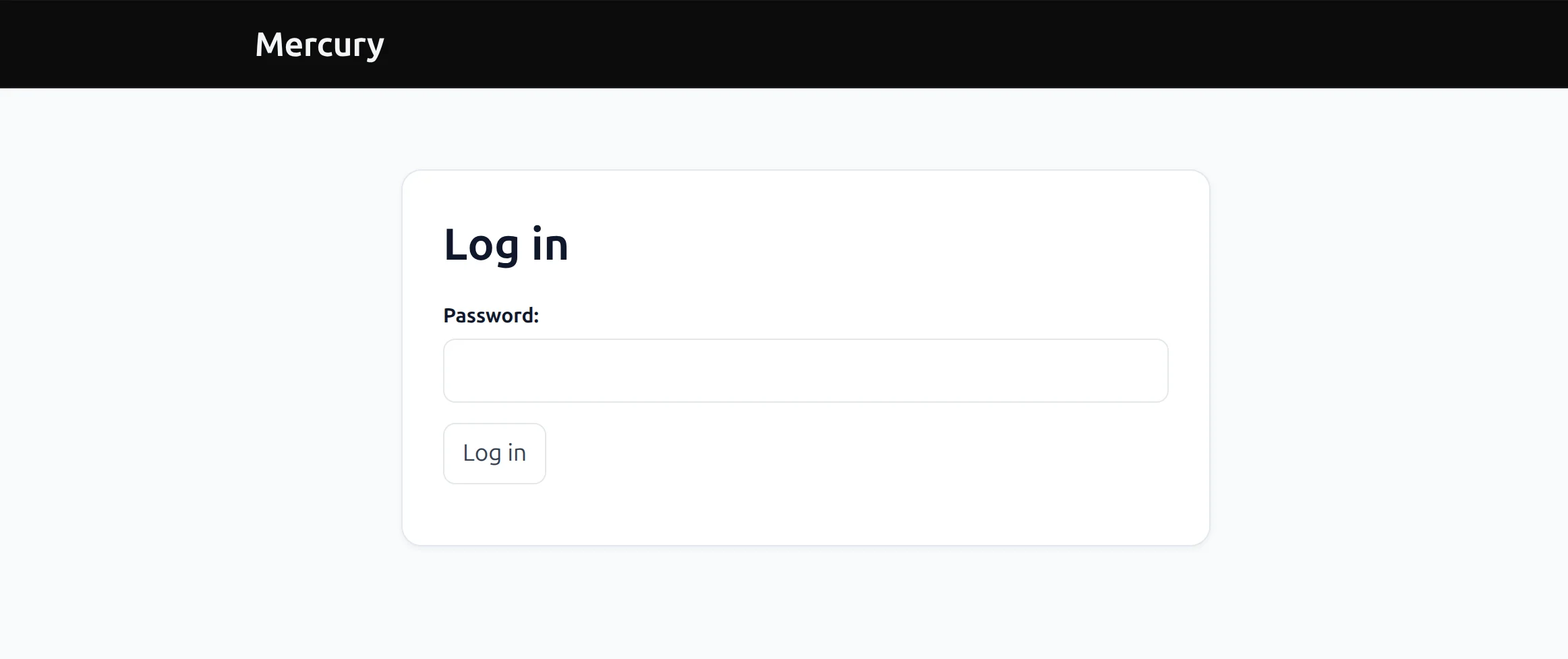
Built-in access protection
A dashboard for your team does not need to be public. Mercury can show a login page before anyone reaches the notebook app. For self-hosting, add one flag when the server starts:
This built-in option provides one shared password. Private MLJAR Cloud apps with individual access are available on paid plans.
Deployment
Skip server setup, Docker configuration, and infrastructure management. MLJAR Studio can publish a Mercury notebook directly to MLJAR Cloud.
The MLJAR Free plan includes one public Mercury web app. Create your notebook, click deploy, and share its URL without operating a server or entering a credit card.
Deploy a Mercury app for freePaid plans add private Mercury app capacity while preserving the same simple deployment flow. You can also self-host with Docker when your organization needs complete infrastructure control.
Compare publishing limitsVoilà has no dedicated managed deployment service. Its documentation covers general-purpose options such as Binder and Railway, so publishing usually involves more hosting setup than the MLJAR Cloud path.
Decision guide
Both tools take a finished notebook and serve it as a web app, and both render ipywidgets. The difference is how much you build yourself after that.
If neither fits—because you need URL routing, multi-page state, or a custom frontend—you are probably looking for Dash, Panel, or a general web framework rather than a notebook renderer.
FAQ
Yes. Mercury supports existing ipywidgets and compatible Jupyter widgets, including the callbacks already defined in the notebook. Mercury widgets are an additional option that can rerun downstream cells automatically; they do not replace or block ipywidgets.
Yes. Voilà hides notebook input cells by default with strip_sources, which can be disabled when source code should remain visible. Mercury provides a Show code control in the application toolbar.
Yes. For a self-hosted app, start Mercury with the --pass option to show a shared-password login before the app opens. MLJAR Cloud also supports private Mercury apps on paid plans.
Voilà has no dedicated managed cloud service. Binder can launch public repositories, but environments are temporary and builds can take time. MLJAR Cloud has a free plan that includes one public Mercury web app; paid plans add private app capacity.
Voici combines Voilà with JupyterLite to build static, browser-based notebook applications. The output can be hosted on GitHub Pages or another static web server, subject to the libraries and kernels supported in the browser.
Mercury is usually easier for a first interactive app because you read a widget value and let downstream cells rerun. Voilà is especially natural when you already understand Jupyter widgets or already have an interactive ipywidgets notebook.
Keep your existing ipywidgets, add reactive inputs where useful, and publish with application styling, access control, and a clear deployment path.
pip install mercury