
AI gave me a perfect report. I still didn’t trust it.
I asked AI to analyze customer churn on a telco dataset — 7,043 customers, standard Kaggle data.
In under a minute, I had a full report. Clean structure. Solid numbers. A business recommendation with an estimated impact of 204 retained customers. The kind of output that normally takes a data scientist half a day.
And yet, I couldn’t tell you where any of it came from. Not because the report was wrong. But because the process behind it was invisible.
Data Analysis Task - Customer Churn Analysis
Before looking at the result, let me explain the task.
I used a simple telco customer churn dataset — 7,043 customers, with information about contracts, services, payments, and whether the customer churned. Total 21 columns. If you’re curious, the dataset is publicly available in my GitHub repository: https://github.com/pplonski/datasets-for-start/tree/master/telco-customer-churn
The goal was to understand what drives churn, identify high-risk customers, and recommend one business action to reduce it.
This is a typical data analysis task. Not a toy example, but also not something overly complex. Something a data analyst would normally solve in a few hours.
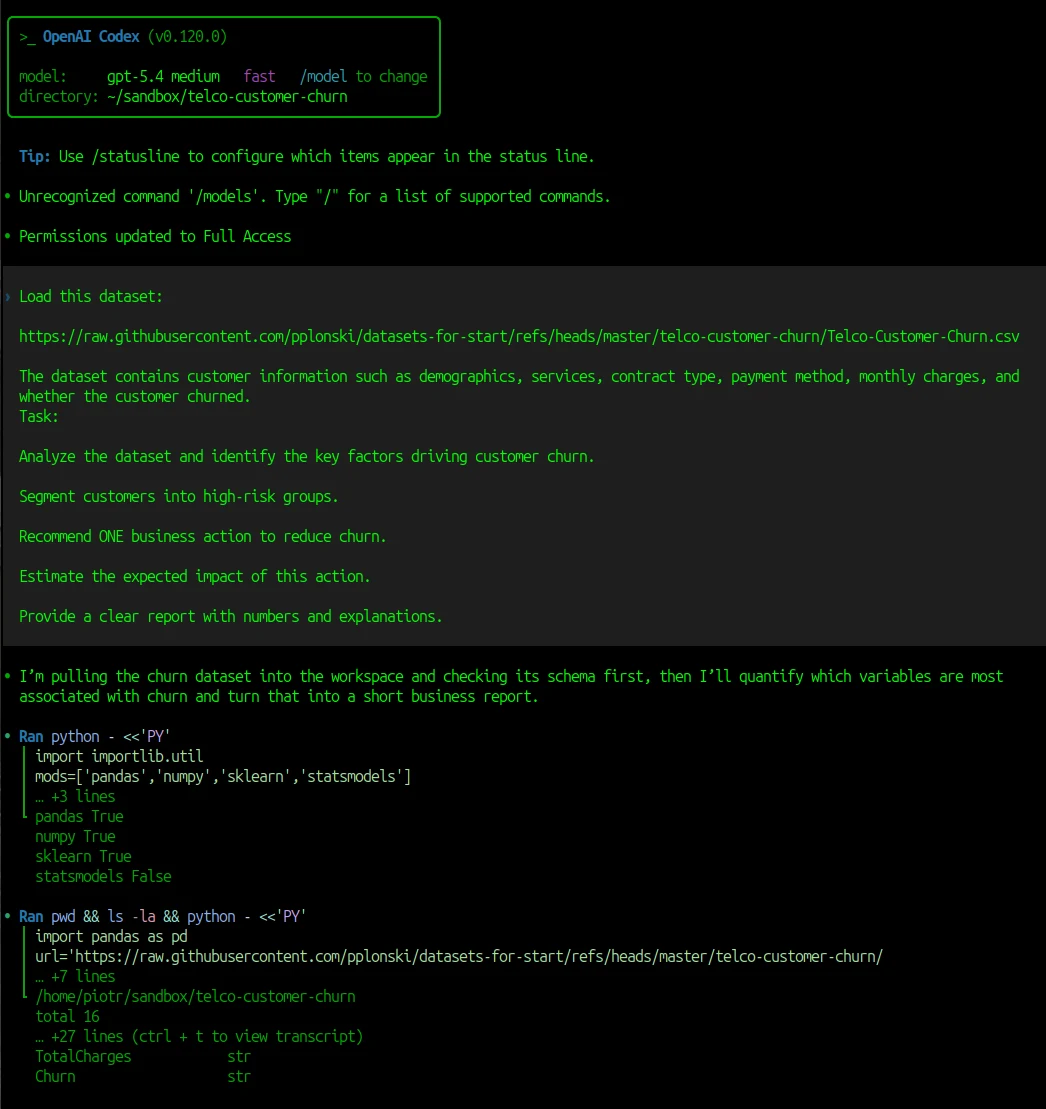
I used Codex with model gpt-5.4 with medium reasoning with the following prompt:
Load this dataset:

https://raw.githubusercontent.com/pplonski/datasets-for-start/refs/heads/master/telco-customer-churn/Telco-Customer-Churn.csv

The dataset contains customer information such as demographics, services, contract type, payment method, monthly charges, and
whether the customer churned.
Task:

Analyze the dataset and identify the key factors driving customer churn.

Segment customers into high-risk groups.

Recommend ONE business action to reduce churn.

Estimate the expected impact of this action.

Provide a clear report with numbers and explanations.
The Codex solved this data analysis task under a minute. Below is screenshot from Codex running analysis. Please note that the Python code is hidden, only first few lines are displayed.
What AI did well
Before getting into the problems, it’s worth saying this clearly: the Codex did a really good job. The analysis was solid.
It correctly identified the main churn drivers: contract type, tenure, payment method, and internet service. It found the right high-risk segments and quantified them with clear numbers. It even turned the analysis into a concrete business recommendation, with an estimated impact.
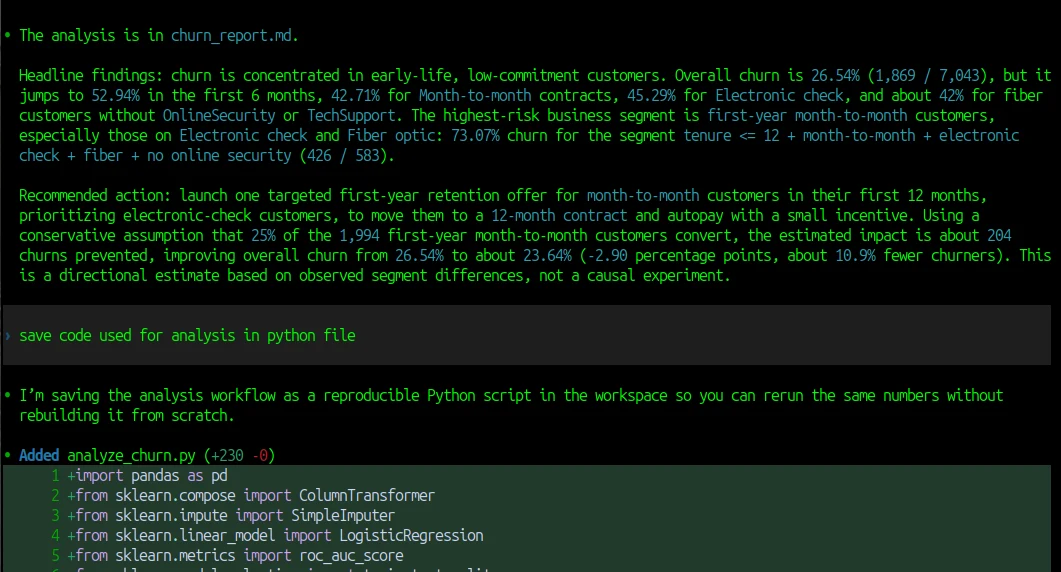
This is summary displayed in the Codex:
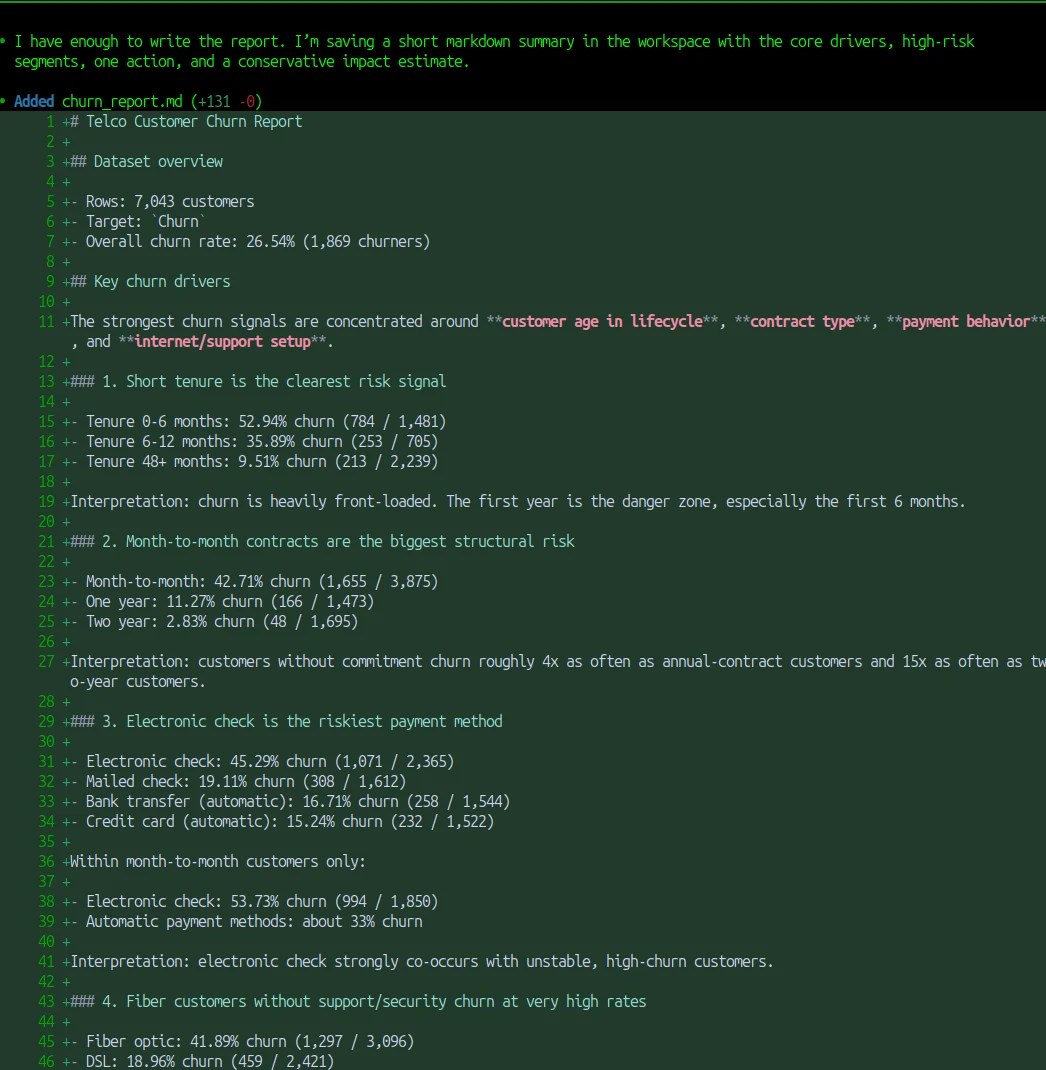
I also get the churn_report.md created in the directory. A junior data scientist would need a few hours to go from raw data to this kind of structured report. AI did it in under a minute. If you only look at the final output, it’s hard to find anything obviously wrong. And that’s exactly why this is interesting.
The moment I lost trust
Everything looked good at first. The report was clean. The numbers made sense. The conclusions were logical. But then I tried to go one step deeper. I wanted to understand how the result was produced - where are numbers come frome? And that’s where the problem started.
I couldn’t see the code. I didn’t know how missing values were handled. I didn’t know if some rows were filtered out. I didn’t know how exactly the churn rate was calculated. I only saw the final answer.
I asked Codex to drop all generated code that it used into analysis.py file. It felt like looking at the result of a calculation without seeing the steps. Maybe it was correct. But it was hard to check.
Why this matters in real projects
This might sound like a small issue. But in real data projects, this is exactly where things go wrong. Most mistakes don’t come from complex models. They come from simple steps:
- a wrong data type
- a missing value handled incorrectly
- a filter applied without noticing
- a column misunderstood
If you don’t see the process, you can’t catch these problems. And if you can’t catch them, you can’t trust the result.
That’s why I prefer working in an environment where I can see the code, check the tables, and rerun everything myself if needed. That makes a big difference. Because now I can verify the result, not just read it.
The same task in MLJAR Studio
I ran the same prompt in MLJAR Studio and got something different — not in the quality of the analysis, but in how it was delivered.
Every AI response comes with a code block. It is collapsed by default, so the conversation stays clean. But you can expand it, read exactly what was executed, and see the tables and charts that were produced inline — not as a pasted summary, but as actual output from the code.
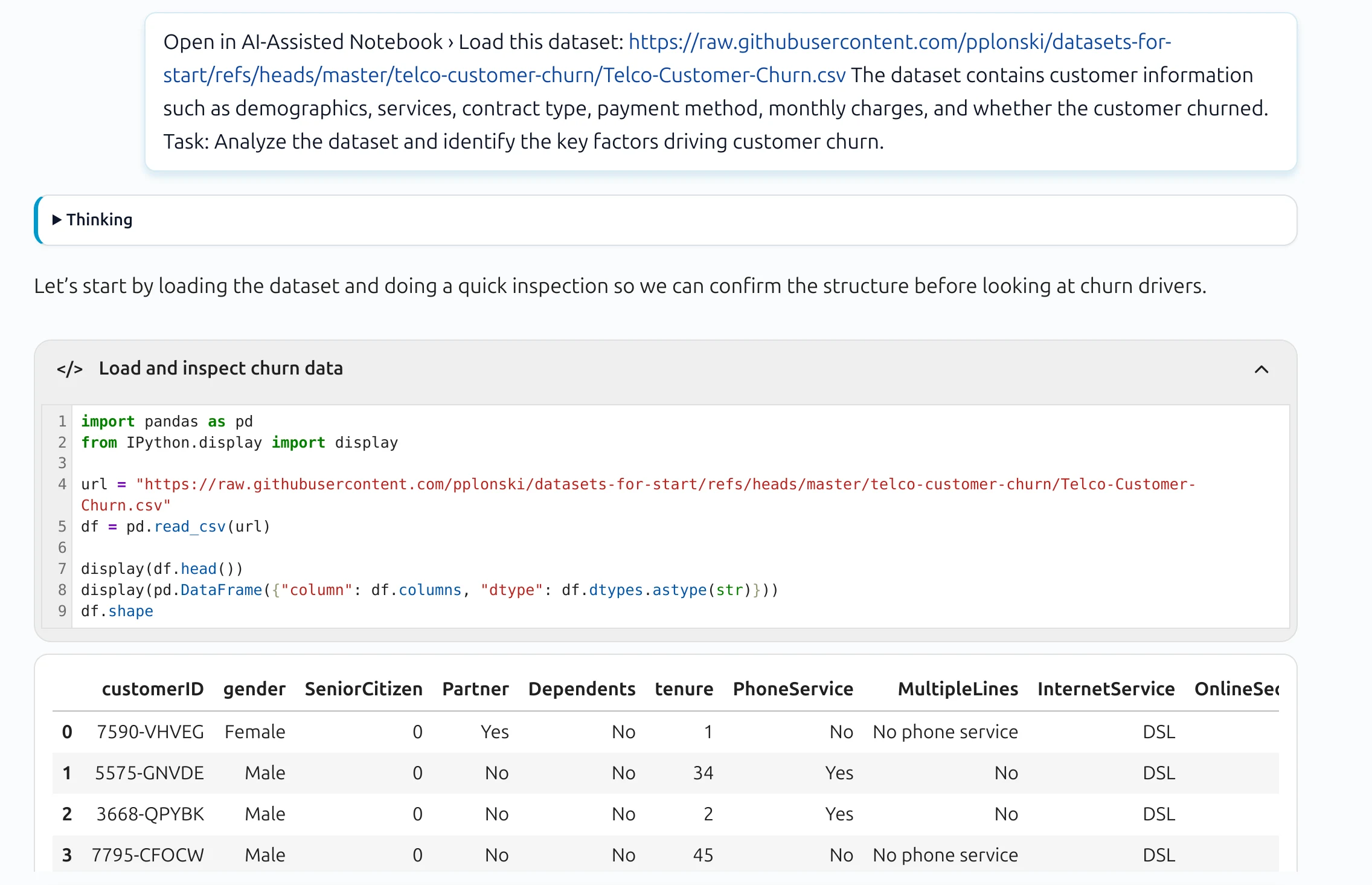
More importantly: those code cells are reusable. Once the analysis is done, you have a working notebook. You can rerun any step, change a parameter, apply the same logic to new data — without touching the AI again. The workflow belongs to you, not to the chat session.
I published this analysis at customer churn drivers analysis, where you can review the full conversation generated with MLJAR Studio AI Data Analyst.
That changes what the result means. It is no longer just a report you received. It is a process you can verify, reproduce, and build on.
Conclusion
AI can already generate good analysis. That part is solved. The question is whether you can trust what you got.
Codex gave me a better report than I expected. But it was a finished document — something to read, not something to work with. MLJAR Studio gave me the same quality of analysis plus the code that produced it, visible and reusable from the start.
In data science, the result is only half the work. The other half is being able to verify it.
About the Author

Piotr Płoński
Piotr Płoński is a software engineer and data scientist with a PhD in computer science. He has experience in both academia—working on neutrino experiments at leading research labs and collaborating on interdisciplinary projects—and in industry, supporting major clients at Netezza, IBM, and iQor. In 2016, he founded MLJAR to make data science easier and more accessible, creating tools like AutoML, Mercury, and MLJAR Studio.
Related Articles
- Data Analysis Software for Pharmaceutical Research
- AI Coding Assistants for Data Science: Complete 2026 Comparison
- Machine Learning for Humans and LLMs: Structured AutoML Reports in Python
- AI in Healthcare without breaking HIPAA (MLJAR Studio guide)
- Reimagine Python Notebooks in the AI Era
- AI Generated Code Looked Right, but the Data Was Wrong
- Open-source AutoML projects in 2026
- Best AI Courses for Data Analysis in 2026
- Why ipynb is a perfect format for saving AI data analysis conversations
- 10 ways to make predictions with Machine Learning model
Private AI data analysis
AI Data Analyst on Your Computer
Use MLJAR Studio to explore data, discover insights, and create reports with AI.
Runs locally · Your data stays private