
Private, Local, No Cloud
Your Private AI Data Analyst
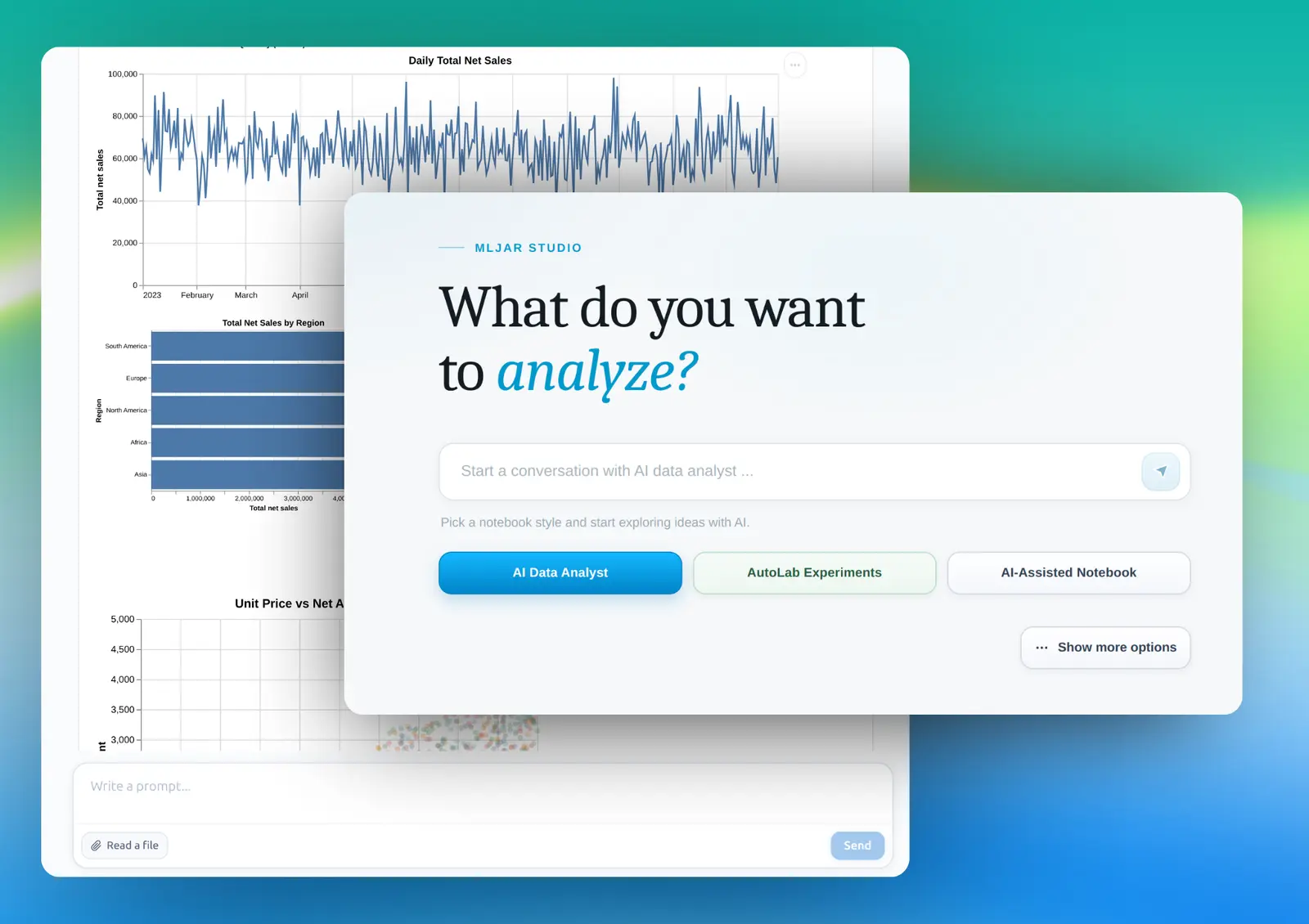
Ask questions about your data in plain English. Get Python-powered answers instantly. Everything runs on your own computer.
- ✓ Works on Windows, macOS, and Linux
- ✓ No account required
- ✓ 7-day free trial
How it works
Ask a question. Get an answer.
MLJAR Studio's AI data analyst turns plain English into real Python analysis - running directly on your files, returning results you can trust and reproduce.
- 1
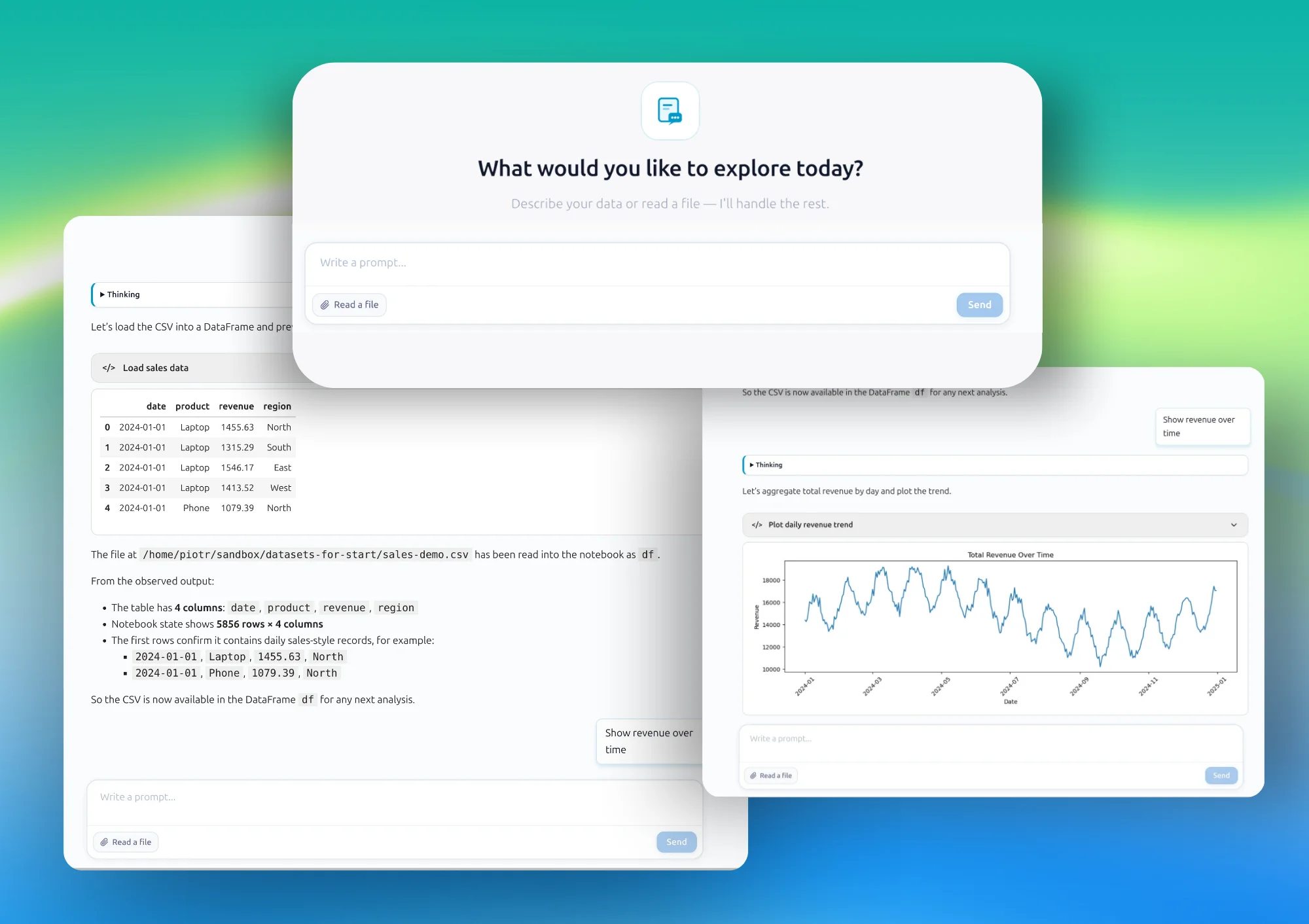
Load your data
Open a CSV, Excel file, or connect to a SQL database. Your data stays on your machine - no upload required.
- 2
Ask in plain English
Type a question like "Which customers had the highest spend last quarter?" or "Show me outliers in the sales column."
- 3
AI generates and runs Python
The AI writes Python code, executes it against your data locally, and returns a chart, table, or summary.
- 4
Inspect, edit, and save
Every result is saved as a notebook file. The code is fully visible - edit it, extend it, or rerun it anytime.
Everything you need for AI data analysis
Built for real data work - not demos. MLJAR Studio covers the full analysis workflow from raw data to shareable results.
Natural language queries
Ask questions in plain English. No SQL, no Python syntax required. Just describe what you want to know.
Real Python execution
Every answer is backed by real Python code that runs against your actual data. Results are reproducible and auditable.
100% local - no cloud
Your data files never leave your computer. MLJAR Studio runs entirely offline, with no external server required.
Charts and visualizations
Generate bar charts, scatter plots, histograms, heatmaps, and more from plain language requests.
Notebook-based workflow
All work is saved as Jupyter-compatible notebooks. Every step is visible, editable, and reproducible.
Bring your own AI
Use local LLMs via Ollama, your own OpenAI or Anthropic API key, or MLJAR's built-in AI. You choose.
Multiple data sources
Works with CSV, Excel, Parquet files, and SQL databases including PostgreSQL and MySQL.
AutoML experiments
Beyond analysis - run automated machine learning experiments and build predictive models without leaving Studio.
Share as web apps
Turn any notebook into an interactive web application with Mercury. Share results with your team - self-hosted.
Who uses an AI Data Analyst?
MLJAR Studio fits any team that works with data and needs fast, private, reproducible analysis.
Healthcare & clinical research
Analyze patient data, trial results, and clinical datasets locally - fully compliant with data privacy requirements. No data leaves the hospital network.
Finance & quant analysts
Explore market data, build risk models, and investigate anomalies in trading data - all on your own machine, with no exposure to external services.
Research & academia
Run exploratory analysis on experimental datasets while maintaining full reproducibility through visible, saved Python notebooks.
Manufacturing & operations
Analyze sensor data, quality metrics, and supply chain logs to find anomalies and optimize production - without sending operational data to the cloud.
E-commerce and product teams
Query sales data, analyze customer segments, and explore conversion funnels in plain English - no SQL knowledge needed.
Government & regulated sectors
Work with sensitive public-sector or compliance-sensitive data under strict governance requirements by keeping all processing on-premise.
Privacy & security
Your data stays on your machine
Most AI data analysis tools upload your data to external servers. MLJAR Studio is built differently from the ground up.
- Data files never leave your computer - no upload required
- AI model runs locally via Ollama or your own API key
- Python execution happens in your local environment
- No account required to start analyzing
- Works fully offline - no internet connection needed
- Self-hosted deployment - share results without cloud services
Privacy guarantee
100% Local
Data stays on your machine from start to finish
Use AI your way
MLJAR Studio doesn't lock you into one AI provider. Choose the model that fits your privacy requirements and workflow.
Local LLMs via Ollama
Run Llama, Mistral, Gemma, and other open models fully offline. Zero data leaves your machine - ever.
Your own API key
Use OpenAI, Anthropic, or other providers with your own API key. You control the model and the billing.
MLJAR AI
Built-in AI ready to use out of the box - no configuration needed. Best for getting started quickly.
MLJAR Studio vs other AI data tools
Quick comparison of privacy, control, and reproducibility across popular tools.
| Feature | MLJAR Studio | Julius | ChatGPT | Hex |
|---|---|---|---|---|
| Runs locally (no cloud dependency) | Yes | No | No | No |
| Data upload required | No | Yes | Yes | Yes |
| Python code visible and editable | Yes | Partial | Limited | Yes |
| Local model support (Ollama) | Yes | No | No | No |
| Notebook-based reproducibility | Yes | Partial | Limited | Partial |
| Perpetual license option | Yes ($199) | No | No | No |
Deep dives: MLJAR vs Julius · MLJAR vs ChatGPT
Common questions
What is an AI Data Analyst?
An AI data analyst is a tool that uses a large language model (LLM) to help you explore, clean, visualize, and interpret data using plain English. MLJAR Studio's AI data analyst runs entirely on your local machine - no cloud, no data uploads required.
Do I need to upload my data to use AI data analysis?
No. MLJAR Studio runs entirely on your computer. Your data files - CSV, Excel, SQL databases - stay on your local machine at all times. Nothing is uploaded to any server.
Can I analyze data locally without uploading it?
Yes. MLJAR Studio is built specifically for local data analysis. The AI model runs locally via Ollama or your own API key, and all code execution happens on your machine. Your data never leaves your computer.
Is my data safe when using AI data analysis?
With MLJAR Studio, yes. Because everything runs locally, your data is never exposed to third-party servers. This makes it suitable for sensitive, confidential, or regulated data including healthcare, financial, and research datasets.
Do I need to know Python to analyze data with AI?
No. MLJAR Studio generates and runs Python code for you automatically. You interact in plain English. The generated code is always visible so you can inspect, edit, or reuse it - but you never need to write it yourself.
How is MLJAR Studio different from ChatGPT for data analysis?
ChatGPT requires you to upload your data to OpenAI's servers, runs in the cloud, and cannot directly execute code against your local files. MLJAR Studio runs entirely on your machine, executes real Python against your actual data, and never sends your data to any external service.
Can I use my own AI models or API keys?
Yes. MLJAR Studio supports local LLMs via Ollama (fully offline), your own OpenAI or Anthropic API keys, or MLJAR's built-in AI. You choose which AI provider to use and retain full control.
Is my work saved?
Yes. Every analysis session in MLJAR Studio is automatically saved as a Jupyter-compatible notebook file. You can reopen, rerun, edit, or share your work at any time. Nothing is lost between sessions.
Learn more
New to AI data analysis? These resources explain the concepts and help you get the most from MLJAR Studio.
Start Your Private AI Data Analyst
Run AI-powered data analysis locally, keep full control of your data, and ship reproducible results.
7-day trial · $199 perpetual license · Windows, macOS, Linux